Simulate Everything.
Trust Nothing Less.
Run parallel, hardware-level simulations across 100+ real devices, 5 browser engines, and 200+ global regions — available on the Emuluxe Platform and natively in VS Code & Cursor. Trust the same engine, everywhere you build.
One Platform.
Every Workflow.
Whether you're testing one URL across every device or comparing multiple sites side-by-side, Emuluxe adapts to your testing workflow with two powerful simulation modes.
Single-Site Mode
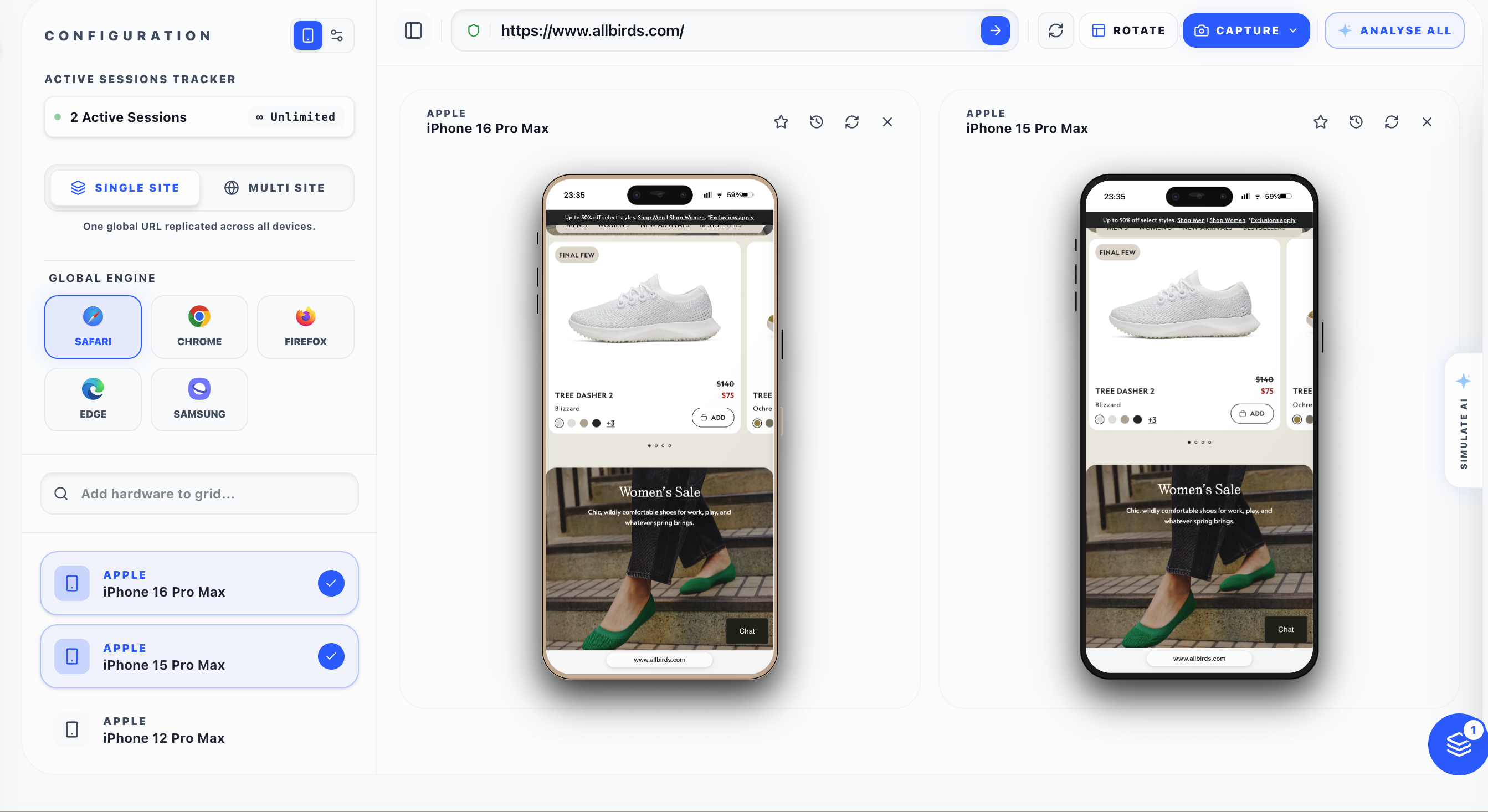
One URL → Every Device
Enter a single URL and instantly replicate it across multiple devices with different hardware profiles and browser engines. Perfect for responsive testing, cross-device QA, and ensuring pixel-perfect fidelity on every screen size.
- Shared global URL bar — change once, update everywhere
- Independent browser selection per device cell
- Real-time cross-device visual comparison
- Synchronized scroll and interaction testing
Multi-Site Mode
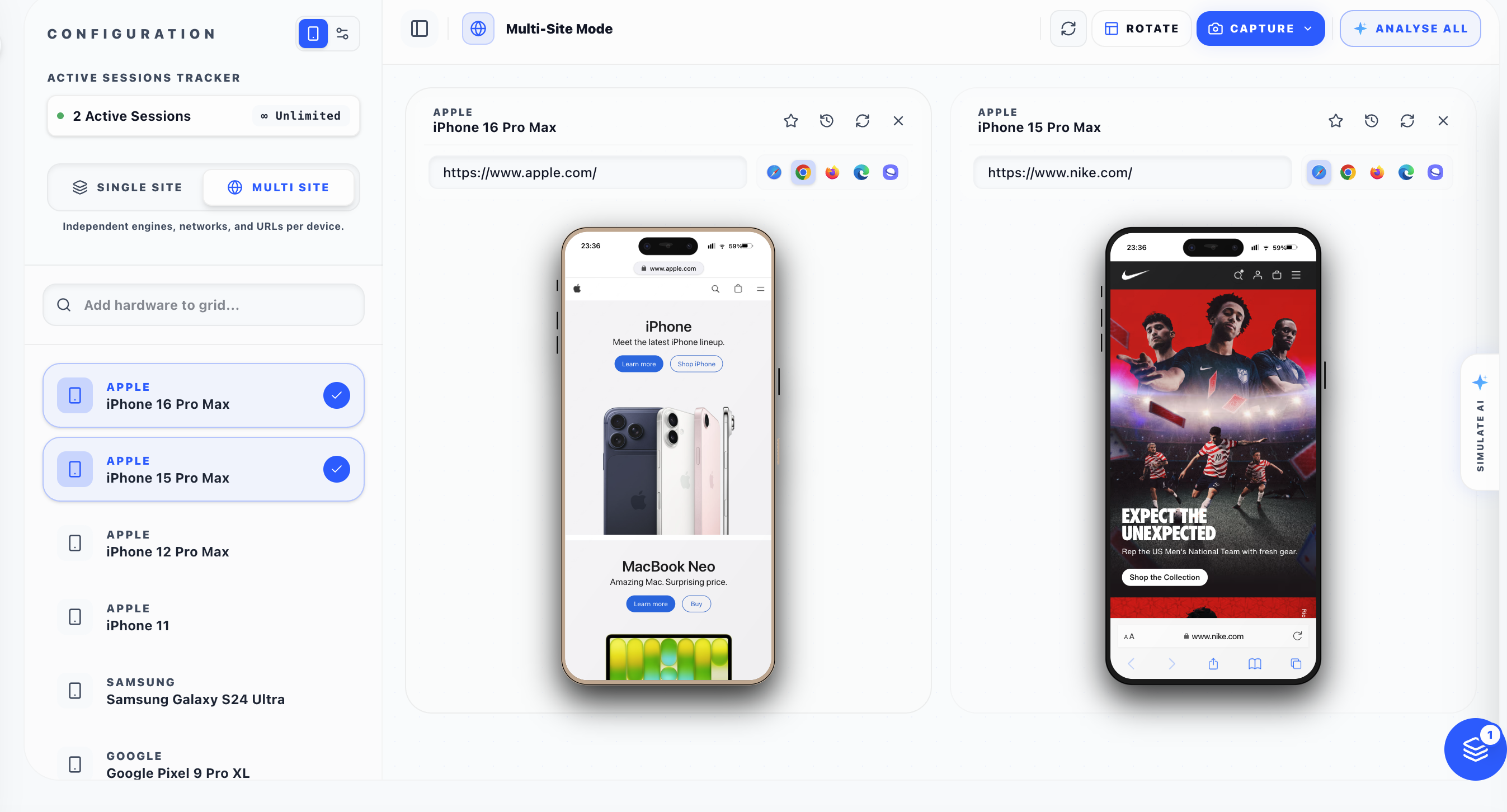
Independent URLs per Device
Load completely different websites on each device simultaneously. Run competitive analysis, compare staging vs. production, or test multiple user flows side-by-side — each with its own URL, browser engine, and network profile.
- Independent URL bar on every device cell
- Per-device browser and network profile selection
- Side-by-side competitive and A/B analysis
- Isolated session management per device
One URL.
Every Device.
Enter a single URL and watch it render simultaneously across every device in your grid. The global URL bar ensures every change propagates instantly — test responsive layouts, touch interactions, and cross-device compatibility without switching tabs.
Global URL Propagation
One URL bar controls all devices. Change the URL once, every simulation cell updates in real-time.
Global Browser Engine
Select Safari, Chrome, Firefox, Edge, or Samsung Internet — the browser engine applies to all active devices.
Cross-Device Scroll Sync
Scroll on one device and observe the same content position across all parallel devices simultaneously.
Instant Device Swapping
Add or remove devices from the grid without interrupting active simulations. Search 100+ hardware profiles.
Different Sites.
Same Grid.
Load entirely different websites on each device cell. Compare your site against competitors, test staging versus production, or run completely independent user flows — each with its own URL, browser engine, and network environment.
Independent URL Bars
Each device cell has its own URL input. Navigate apple.com on one device and nike.com on another.
Per-Device Browser Selection
Choose different browser engines for each device — Safari on iPhone, Chrome on Pixel, Firefox on Samsung.
Competitive Analysis
View your competitors' mobile experiences side-by-side with your own to identify UX advantages.
Staging vs. Production
Load your staging URL on one device and production on another to catch deployment regressions instantly.
Up to 8 Devices.
Simultaneously.
Run parallel, hardware-level simulations across 100+ real devices, 5 browser engines, and 200+ global regions — available on the Emuluxe Platform and natively in VS Code & Cursor. Trust the same engine, everywhere you build.
Advanced Core
Powered by the Advanced Simulation Engine for kernel-level hardware fidelity.
IDE Native Integration
Bring high-fidelity simulation directly into VS Code & Cursor for seamless local development.
Hardware Safing
Real-time rendering of Notches, Dynamic Islands, and software home indicators.
Network Jitter
Surgical network hooks for simulating deep packet latency and 5G/LTE jitter.
Every Device.
Every Browser.
100+ meticulously profiled devices with authentic hardware signatures, safe-area insets, screen dimensions, pixel ratios — paired with 5 real browser engine emulations.
Apple iOS
- iPhone 16 Pro Max
- iPhone 16 Pro
- iPhone 16
- iPhone 15 Pro Max
- iPhone 15 Pro
- iPhone 15
- iPhone SE (3rd)
- iPhone 14
- iPhone 13 Mini
- iPhone 12
- iPhone 11
- iPad Pro 13"
- iPad Pro 11"
- iPad Air
- iPad Mini
Samsung Galaxy
- Galaxy S24 Ultra
- Galaxy S24+
- Galaxy S24
- Galaxy S23 Ultra
- Galaxy S23
- Galaxy Z Fold 5
- Galaxy Z Flip 5
- Galaxy A54
- Galaxy A34
- Galaxy Tab S9 Ultra
- Galaxy Tab S9+
- Galaxy Tab S9
Google Pixel & Others
- Pixel 9 Pro XL
- Pixel 9 Pro
- Pixel 9
- Pixel 8 Pro
- Pixel 8a
- Pixel 8
- Pixel 7 Pro
- Pixel 7a
- OnePlus 12
- Xiaomi 14 Pro
- Huawei P60 Pro
- Nothing Phone 2
5 Real Browser Engines
Safari
WebKit · iOS Default
Chrome
Blink · Android Default
Firefox
Gecko · Cross-platform
Edge
Chromium · Microsoft
Samsung Internet
Chromium Fork
Each browser renders authentic chrome (status bar, URL bar, bottom navigation) with scroll-driven collapse animations matching real mobile behavior.
Full Environment Control.
Down to the Wire.
Go beyond viewport resizing. Emuluxe manipulates every layer of the device environment — network, location, battery, sensors, and security policies.
Network Throttling
Simulate real-world network conditions from blazing 5G to flaky 3G. Inject custom latency, bandwidth limits, and packet loss profiles to stress-test your application under every connectivity scenario.
- 3G / 4G / 5G profiles
- Custom latency injection (0–10,000ms)
- Bandwidth limiting
- Offline / Service Worker testing
Global Geolocation
Spoof GPS coordinates across 200+ regions worldwide. Test location-aware features, geo-fenced content, and locale-specific behavior without leaving your desk.
- 200+ pre-configured regions
- Custom lat/lng coordinate injection
- Geo-fenced content testing
- Locale and timezone simulation
Battery & Power Simulation
Force battery levels, charging states, and thermal throttling to test low-power mode behavior, auto-dark-mode switching, and performance degradation under constrained power.
- Custom battery level (0–100%)
- Charging/discharging states
- Real host battery sync
- Thermal throttle testing
Hardware & Sensor Spoofing
Inject user-agents, screen resolutions, device pixel ratios, CPU architectures, and GPU vendor strings at the engine level — bypassing even advanced anti-fraud detection.
- Deep UA and Client Hints
- GPU/CPU vendor spoofing
- Screen DPI and safe-area insets
- WebAuthn / Biometric interception
Capture. Bookmark.
Never Lose Context.
Every simulation session is tracked, timed, and manageable. Take pixel-perfect screenshots, save named sessions to the cloud, and bookmark device configurations for instant recall.
Advanced Screenshot System
- Viewport-only capture
- Full-page stitch (auto-scroll)
- Device frame compositing
- Branded watermark overlay
Session Management
- Per-device session timers
- Auto-continue renewal
- Named session cloud sync
- Concurrency and monthly tracking
Bookmarks & History
- Save device + URL combos
- Cloud-synced across devices
- One-click session restore
- Recent simulations history
Simulate. Analyse.
Fix Instantly.
Every simulation session is enhanced by Emuluxe AI. Our intelligence layer runs alongside your simulations, detecting visual regressions, accessibility violations, and performance bottlenecks in real-time — then suggests actionable fixes.
- Real-time DOM analysis during active simulations
- Visual regression detection across device comparisons
- Continuous WCAG accessibility auditing
- Natural language copilot chat about simulation state
- Automatic failure detection and severity scoring
- One-click CSS and code patch generation
"Why does the checkout button overlap the footer on iPhone 15?"
The footer uses position: fixed while your container's padding-bottom is only 20px. Increase it to 80px to clear the safe area on notched devices.
✓ CSS patch generated. Apply it?
Built for Scale. Engineered for Precision.
Beyond Browser DevTools.
Standard responsive mode only resizes the viewport. Emuluxe simulates the entire hardware and software stack of every device.