Most mobile teams test their apps on fast office WiFi and call it performance testing.
They load the app, check that pages render quickly, and move on. If it feels fast on their development machine, they assume it will be fast for users.
This is dangerous.
5G networks are not just faster 4G. They have complex behaviors, signal variations, mixed network environments, and device-specific implementations that can break your app in ways that simple speed testing cannot predict.
The 5G illusion
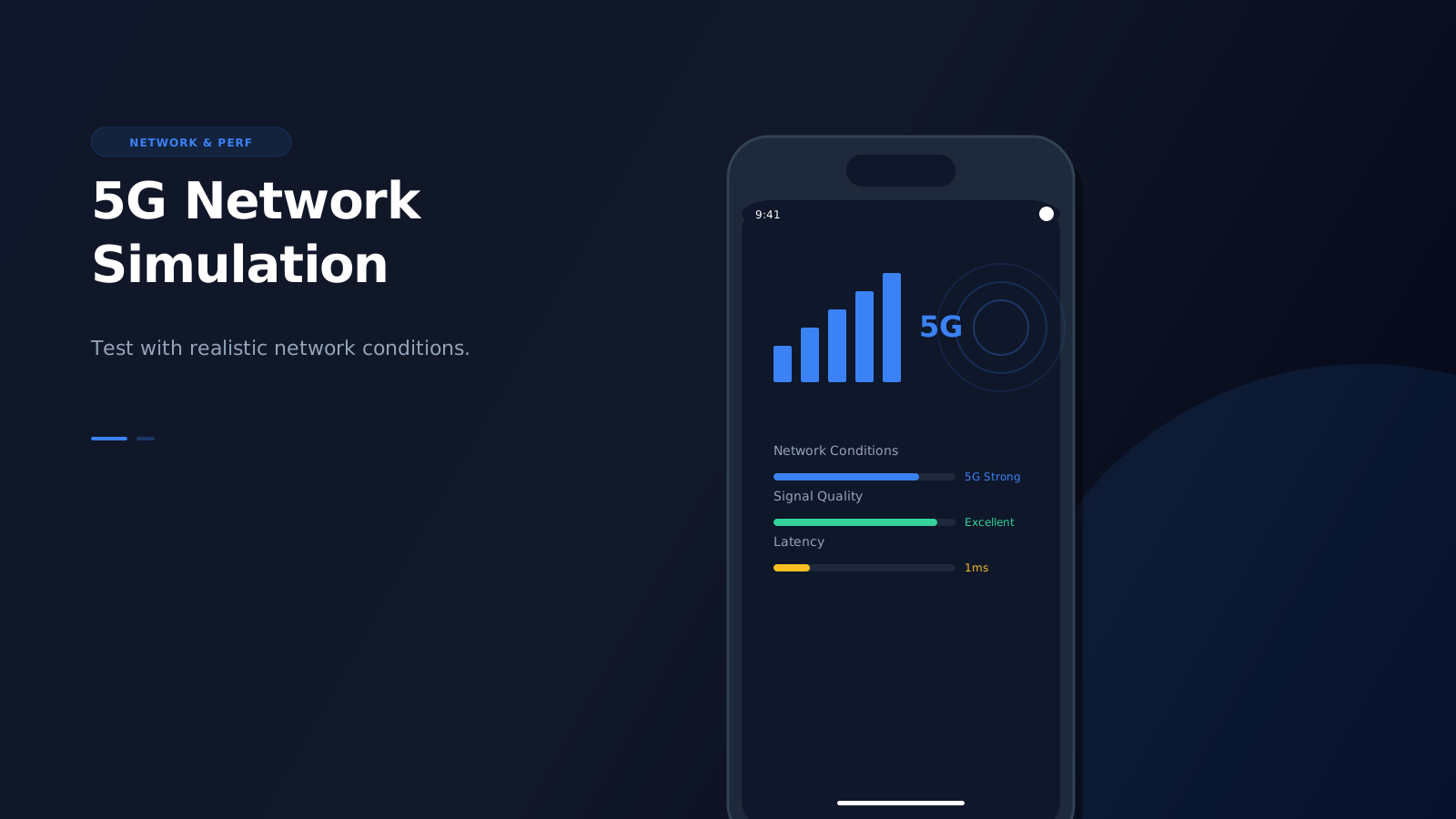
5G promises speeds up to 10 Gbps with latency as low as 1 ms. This sounds like a performance paradise for mobile apps.
But the reality is more complicated:
- Signal variations: 5G coverage is still spotty in many areas. Users transition between 5G, 4G LTE, and even 3G networks throughout the day.
- Mixed network environments: Users move between indoor and outdoor environments, each with different signal characteristics.
- Device-specific implementations: Different manufacturers implement 5G modems differently, leading to varying performance characteristics.
- Network slicing: 5G uses network slicing to create virtual networks with different performance profiles for different use cases.
Testing on a single fast connection doesn't account for any of this complexity.
What speed testing misses
When you test on office WiFi, you're testing in an idealized environment:
- Stable, high-bandwidth connection
- Low latency
- Consistent signal strength
- No network transitions
Real users experience:
- Signal degradation: Moving from strong 5G to weak 5G to 4G LTE
- Network handoffs: Seamless transitions between different network types
- Congestion: Shared bandwidth in crowded areas
- Interference: Physical obstacles affecting signal quality
These factors don't just affect speed-they affect how your app behaves. Timeouts, retry logic, loading states, and error handling all behave differently under real network conditions.
The device context problem
Even if you simulate different network speeds, you're missing the device context.
5G behavior varies by device:
- Modem capabilities: Different devices have different 5G modem capabilities and antenna configurations
- Battery optimization: Some devices throttle network activity to preserve battery
- Background restrictions: Mobile OS restrict background network activity differently on 5G
- Signal indicators: Users react differently to network status indicators on different devices
A simple speed test doesn't capture any of these device-specific behaviors. You need to understand how your app interacts with 5G on actual devices, not just how fast the connection is.
What breaks in production
Apps that pass speed tests often fail in production due to 5G-specific issues:
1. Aggressive timeouts
Developers set short timeouts based on fast WiFi testing. On real 5G networks with signal variations, these timeouts trigger constantly, causing poor user experience.
2. No retry logic
If everything works on a stable connection, teams don't implement robust retry logic. Real 5G networks have temporary signal drops that require intelligent retry strategies.
3. Poor loading states
Fast connections hide loading state issues. On variable 5G networks, users see broken or missing loading indicators, making the app feel broken.
4. No offline handling
Teams assume constant connectivity. Real 5G networks have gaps and handoffs that require offline-first architecture.
5. Large asset loading
Fast connections make it easy to ignore asset optimization. On real 5G with signal variations, large images and bundles cause significant performance issues.
How high-fidelity simulation helps
High-fidelity mobile simulation with network context addresses these problems by:
Simulating network conditions with device context
Instead of just throttling bandwidth, high-fidelity simulation shows you how your app behaves on different network types (5G, 4G, 3G) with device-specific behaviors.
Testing network transitions
You can simulate moving between different network types to see how your app handles handoffs and signal variations.
Device-specific network behavior
Different devices handle 5G differently. High-fidelity simulation shows you device-specific network behaviors that generic speed tests miss.
Realistic loading states
See how your loading states, skeletons, and progress indicators behave under realistic network conditions, not just ideal ones.
Testing retry and error handling
Validate that your retry logic, error boundaries, and fallback mechanisms work correctly under variable network conditions.
The testing workflow
Here's how to integrate 5G network simulation into your testing workflow:
1. Baseline testing on fast networks
Start by testing on fast connections to establish a performance baseline. This gives you a best-case scenario.
2. Test on 5G with signal variations
Simulate 5G networks with varying signal strengths to see how your app handles signal degradation.
3. Test network transitions
Simulate transitions between 5G, 4G, and 3G networks to validate handoff handling.
4. Test on different devices
Test your 5G simulation on different devices to catch device-specific network behaviors.
5. Test critical user journeys
Focus on critical user journeys (checkout, signup, content loading) under realistic network conditions.
Tools vs. simulation
Traditional network testing tools have limitations:
Network throttling tools
Browser DevTools and network throttling tools only affect bandwidth and latency. They don't simulate:
- Signal variations
- Network transitions
- Device-specific behaviors
- Real-world network conditions
Device farms
Device farms give you real devices but:
- Are expensive and slow
- Don't easily simulate network conditions
- Don't integrate into development workflows
- Don't provide the device context you need
High-fidelity simulation
High-fidelity simulation provides:
- Network condition simulation with device context
- Fast, local testing in your development environment
- Integration into VS Code and Chrome workflows
- Device-specific network behaviors
- Realistic network transitions
The bottom line
5G is not just faster 4G. It's a complex network environment with signal variations, mixed environments, and device-specific implementations that can break your app in production.
Testing on fast WiFi gives you a false sense of security. Speed testing without network context misses the issues that actually matter for real users.
High-fidelity mobile simulation with network context is the only way to catch these issues before your users do. It shows you how your app behaves on real 5G networks with device-specific behaviors, not just how fast it loads on an ideal connection.
If you care about mobile performance, you need to test with network context. Otherwise, you're just guessing.
Get Started Today
Ready to test your app with realistic 5G network simulation?
Install Emuluxe Chrome Extension - Test your app with 5G network simulation and device context in your development workflow.
Install Emuluxe VS Code Extension - Integrate 5G network simulation directly into your VS Code development environment.