In February 2026, every major AI coding tool shipped multi-agent capabilities simultaneously. Claude Code runs on Opus 4.6 with a 1-million-token context. Cursor hit $2 billion in annual recurring revenue. Devin dropped to $20 per month with autonomous PR generation. GitHub Copilot's agent mode can open pull requests, self-review, and iterate until a task is complete.
The agentic coding revolution is not coming. It is here.
But there is a problem that nobody is solving, and it is getting worse with every autonomous agent that ships code to production.
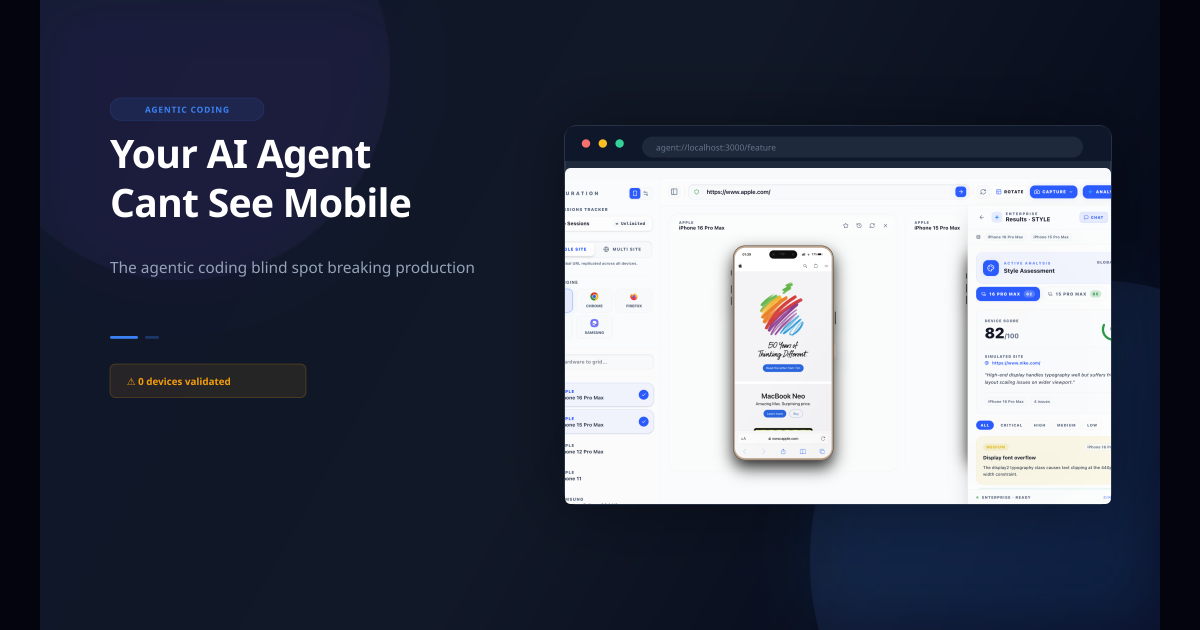
Your AI agent cannot see a single mobile screen.
From Vibe Coding to Agentic Coding: What Changed
Six months ago, the conversation was about vibe coding. Collins Dictionary named it Word of the Year. The pattern was simple: you describe a component, the AI generates code, you preview it on your desktop, and you ship it.
The problem was that AI-optimized for desktop layouts first and mobile was an afterthought. But at least you were in the loop. You could see the result. You could catch the obvious failures.
Agentic coding removes you from that loop entirely.
Here is what the 2026 workflow looks like:
- You describe a feature in natural language.
- An AI agent plans the implementation across multiple files.
- The agent writes the code, runs tests, and self-reviews.
- If tests pass, the agent opens a pull request.
- Another agent reviews the PR and approves it.
- The code merges to main and deploys.
At no point in this chain did anyone look at the result on a phone.
Why Agents Are Worse at Mobile Than Copilots
AI coding assistants have always had a mobile blind spot. They optimize for the most common case in their training data, which is desktop. They cannot see the rendered result. They do not know that 100vh means something different in mobile Safari than in desktop Chrome.
But copilots had one saving grace: you were watching. When GitHub Copilot suggested a completion, you could glance at the preview. When Cursor generated a component, you could see it on your screen before you committed.
Agents eliminate that safety net.
Agents run in loops without visual checks. An agent executing a multi-step task does not stop to render the output in a browser. It writes code, runs tests (which pass on the server), and moves to the next step. The agent's definition of "done" is passing tests, not looking good on an iPhone.
Multi-agent teams generate code in parallel. When you have a frontend agent, a backend agent, and a test agent working simultaneously, each agent optimizes for its own success criteria. The frontend agent writes CSS that passes its linting rules. The test agent validates that the component renders without JavaScript errors. Neither agent checks whether the layout overflows on a Galaxy S25.
Agent PRs merge automatically. The entire point of agentic coding is to remove human bottlenecks. Many teams have configured their agents to self-approve PRs when tests pass. This means code that has never been seen on a real device is shipping to production.
The speed is 10x faster than vibe coding. More code, faster, with less human review. The mobile blind spot is not just still there — it is amplified.
The Scale of the Problem
This is not a theoretical concern. Anthropic's 2026 Agentic Coding Trends Report found that developers use AI in roughly 60% of their work, but report being able to "fully delegate" only 0-20% of tasks. The gap between what agents generate and what humans validate is where mobile bugs live.
On Reddit, developers describe the pattern constantly:
"My agent shipped 47 PRs in a week. Every single one was broken on mobile. I only found out when users started complaining."
"I set up Cursor's agent mode to handle my backlog. It closed 30 issues. It also introduced 15 new mobile layout bugs that my tests never caught."
"The agent generates perfect desktop layouts. Then I open my phone and the entire navigation is overlapping."
The bug reports do not show up in automated tests. They do not show up in desktop previews. They show up in production, on real devices, after the code has already shipped.
What Agents Actually See (And What They Do not)
Here is the fundamental problem: agents operate on text. They read code, they write code, they run text-based tests. They do not have eyes.
An agent can:
- Parse your CSS and verify syntax
- Run a linter and check for errors
- Execute unit tests and confirm they pass
- Build a component and verify it renders without JavaScript errors
An agent cannot:
- See that your 48px padding creates a 20px overflow on iPhone SE
- Notice that your fixed header covers the entire viewport on a foldable device
- Detect that your hamburger menu overlaps with the iOS status bar
- Identify that your form inputs are too small for touch targets on Android
The agent's world is code. The user's world is screens. These two worlds do not overlap on mobile.
The MCP Bridge: Giving Agents Device Context
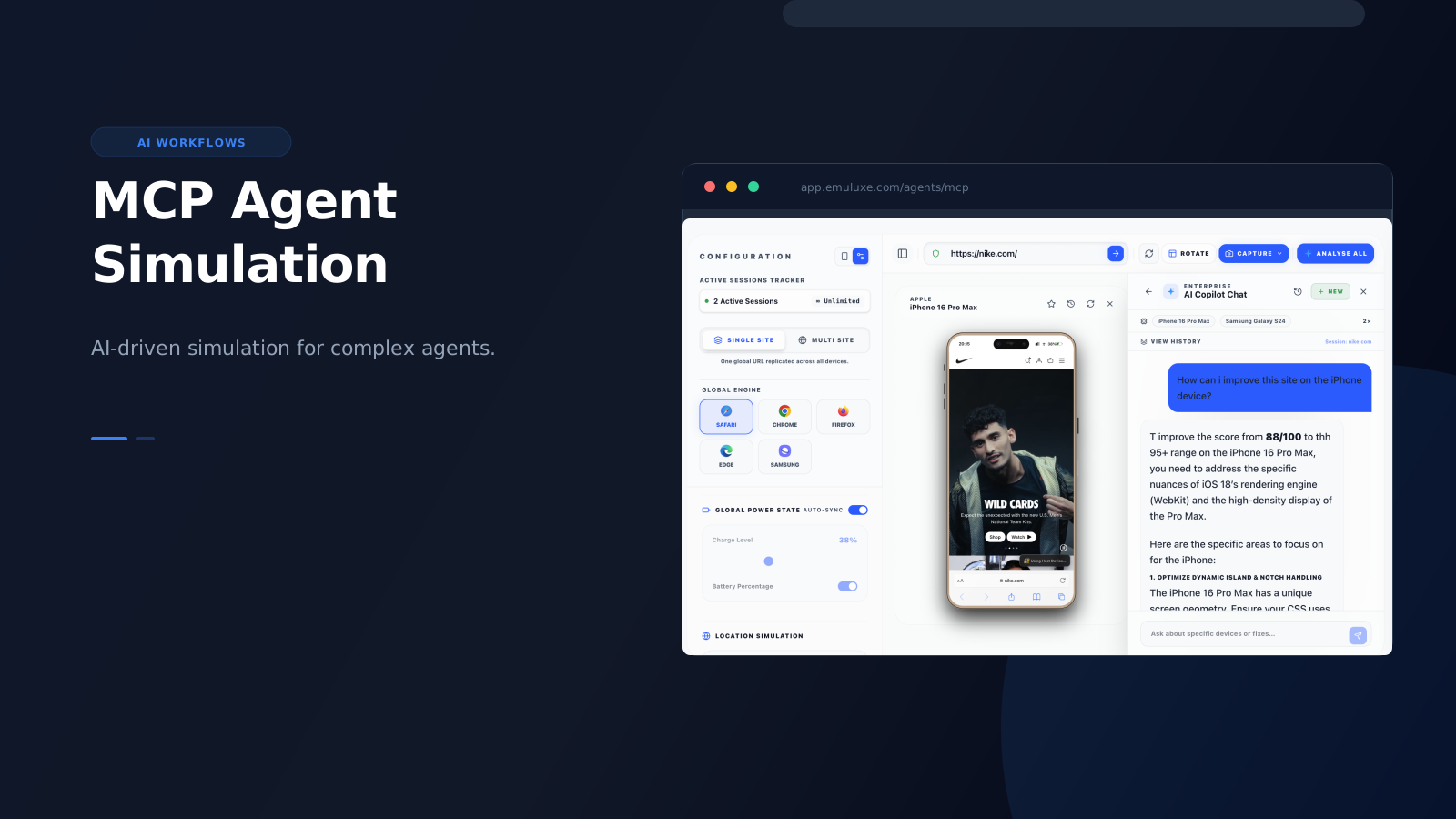
Model Context Protocol (MCP) is the emerging standard for connecting AI agents to external tools and data sources. It was designed to solve exactly this kind of problem: giving agents access to information they cannot generate on their own.
For mobile simulation, MCP creates a bridge between the agent's code-centric world and the device-centric world of real users.
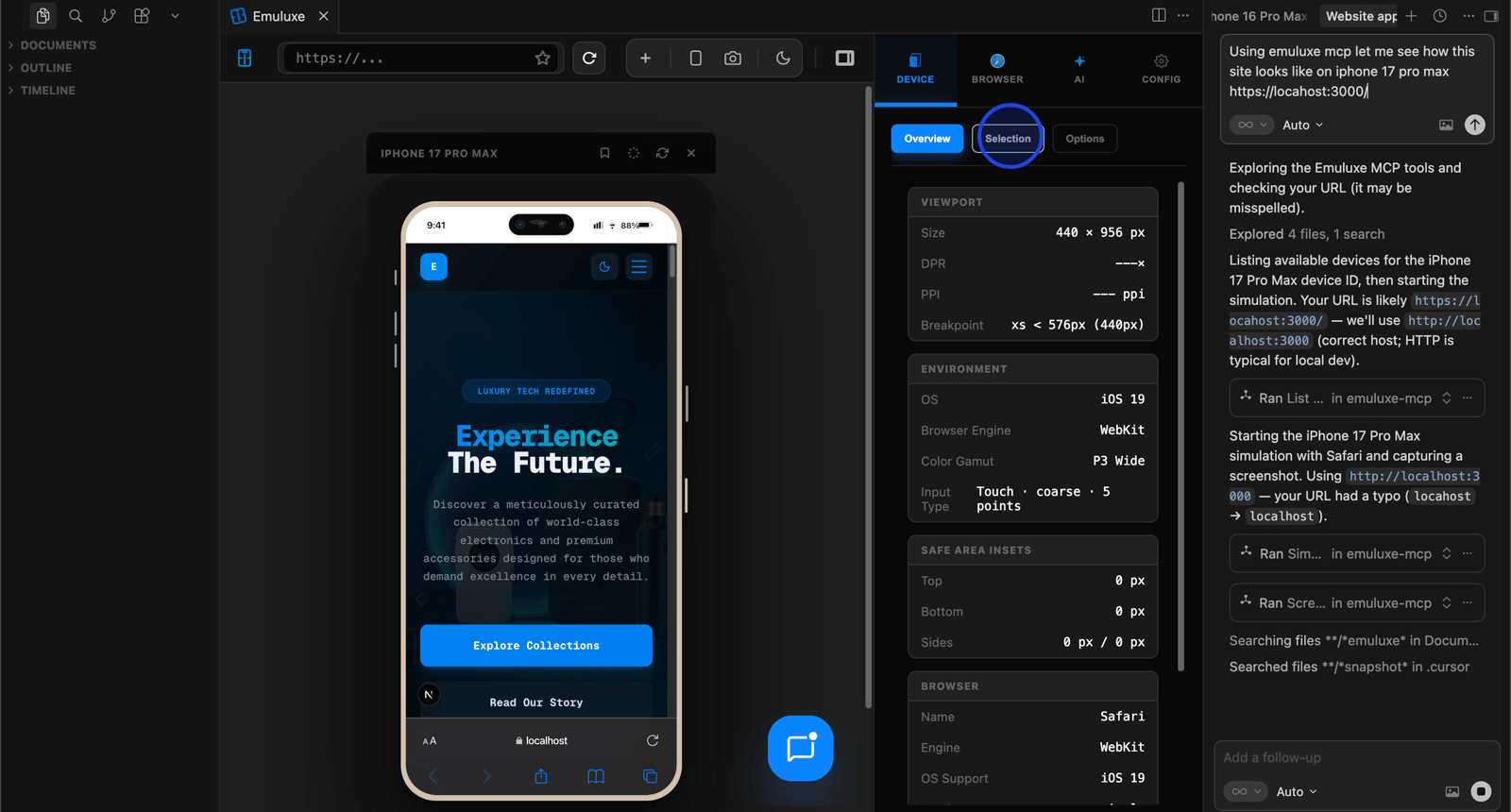
Here is how it works with Emuluxe:
- The agent writes code and starts a local dev server.
- The agent calls the Emuluxe MCP server with the URL.
- Emuluxe renders the page on real device profiles — iPhone 15, Galaxy S25, Pixel 9, foldable devices.
- The MCP server returns structured data: layout metrics, overflow detection, accessibility violations, performance scores.
- The agent reads this data and fixes issues before opening the PR.
The agent never needs to "see" a screen. It receives device context as structured data it can act on. This is the critical shift: simulation becomes a tool the agent can call, not a manual step a human must perform.
How Emuluxe Closes the Gap
Emuluxe brings high-fidelity mobile simulation into the workflow where agents already operate.
For agents using MCP, Emuluxe provides:
- 100+ device profiles with accurate hardware signatures (DPR, refresh rates, user agents)
- OS-accurate design tokens for iOS 15 through iOS 26 (Liquid Glass) and Android 12 through Android 16 (Baklava)
- Network throttling with 10+ profiles from offline to 5G
- Foldable device simulation with hinge and crease controls
- Structured feedback that agents can parse and act on
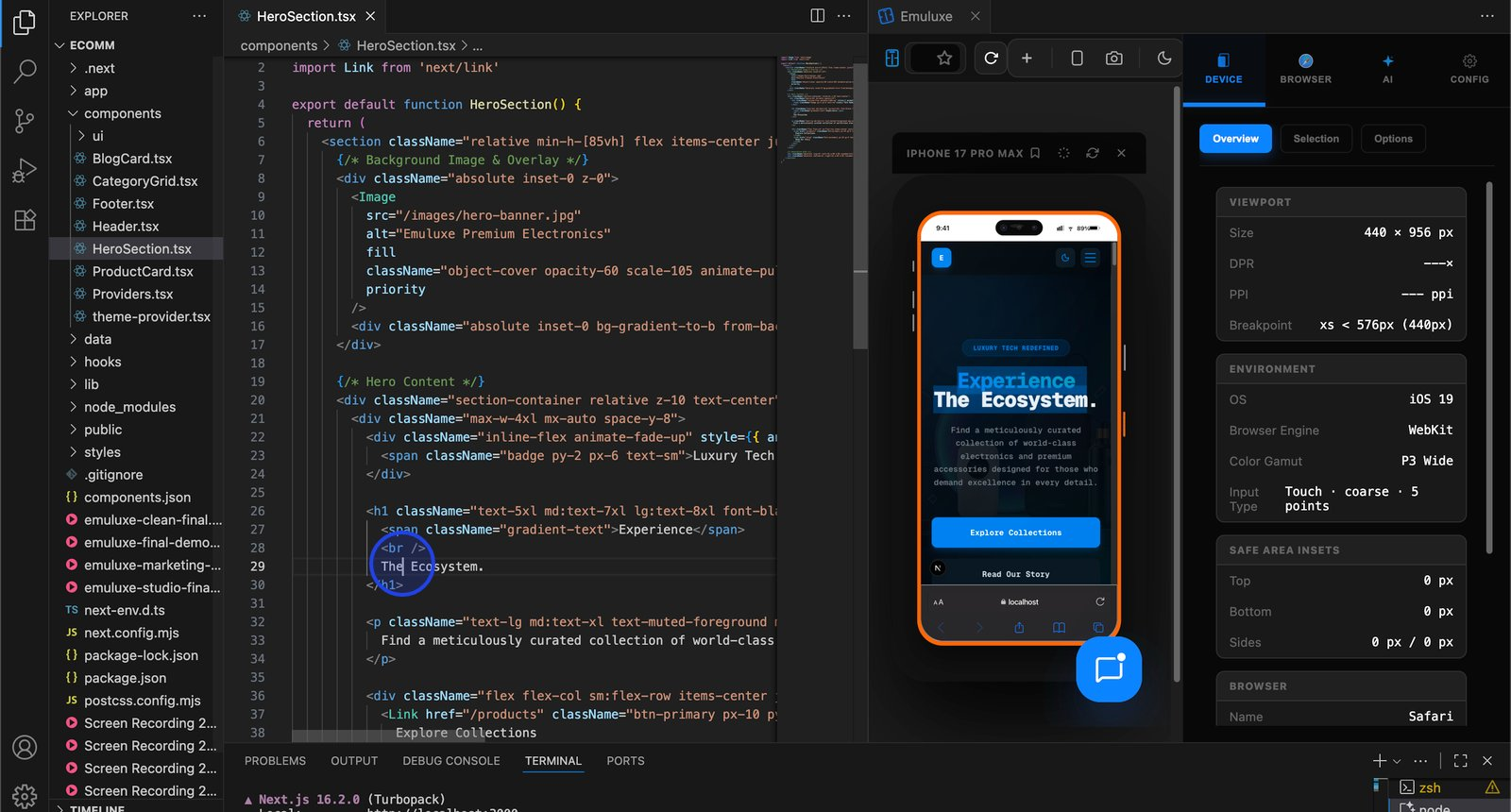
For developers working alongside agents, Emuluxe integrates directly into VS Code, Cursor, and Windsurf:
- Launch simulation with
Cmd+Alt+E - Switch devices instantly with
Cmd+Alt+D - Open the Chrome-grade inspector with
Cmd+I - Capture high-res screenshots with
Cmd+S
The simulation happens where the code is written. Not in a separate browser tab. Not on a physical device. Not in a cloud testing platform. Inside the editor, against localhost, with real device profiles.
The AI Audit Layer
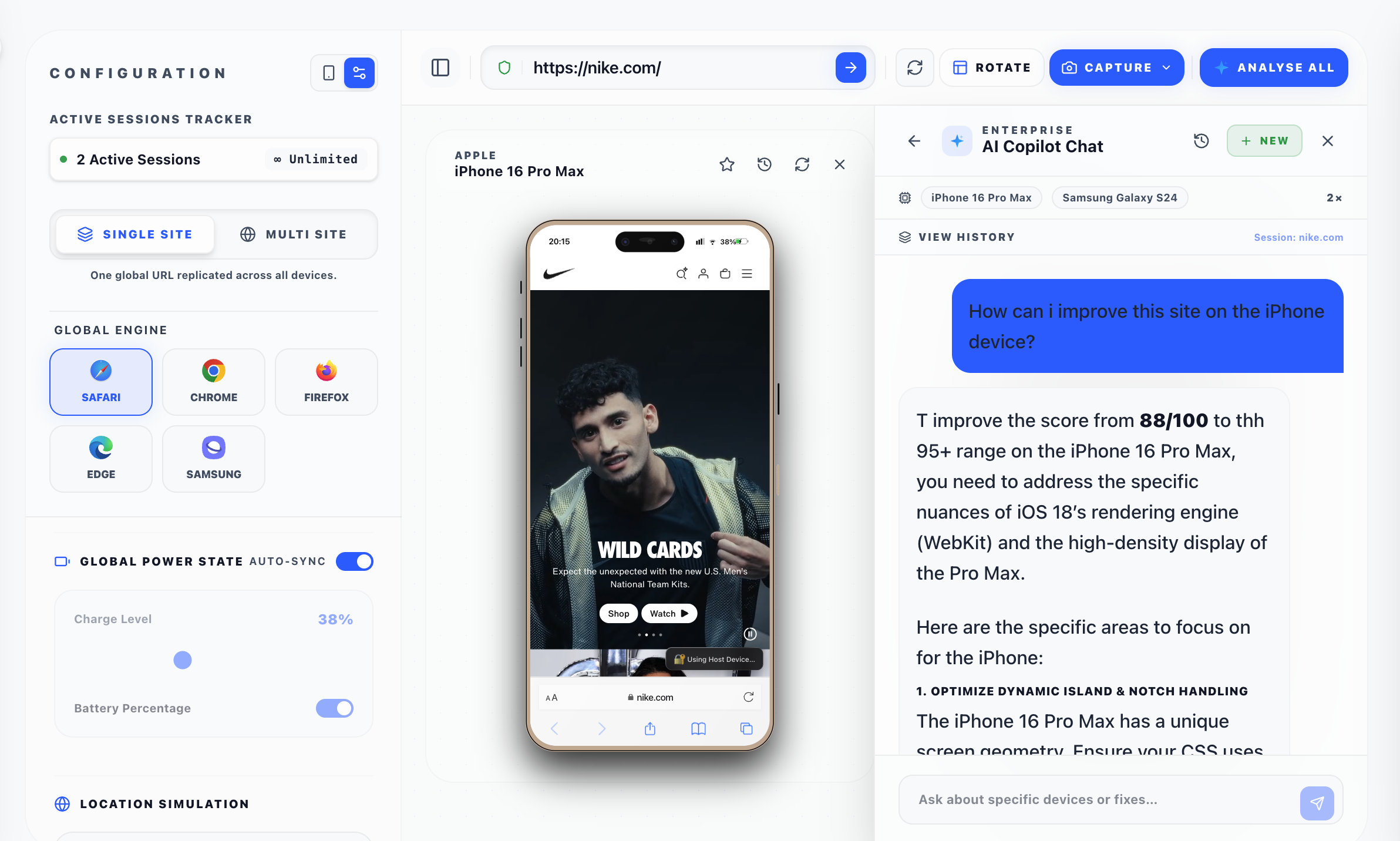
When Emuluxe runs a simulation, it does not just render the page. It runs four analyzers simultaneously:
- Layout Inspector — Catches overflow, clipping, and spacing issues across 8 layout detectors
- Performance Analyzer — Flags LCP, CLS, and long tasks that degrade mobile experience
- Accessibility Analyzer — Runs 7 WCAG checks against the rendered device view
- Interaction Analyzer — Detects hover and touch anti-patterns that break on mobile
Each analyzer returns severity ratings and code-snippet fixes with specific selectors. For agents using MCP, this means the agent receives actionable feedback it can use to fix the code before the PR is opened.
This turns mobile validation from a human bottleneck into an automated step in the agent's workflow.
Practical Workflow: Agent + Emuluxe in VS Code
Here is what the agentic coding workflow looks like with Emuluxe integrated:
- You start your dev server.
- You launch Emuluxe in your editor panel.
- You open your AI agent (Claude Code, Cursor agent, Copilot agent mode).
- You describe the feature you want.
- The agent generates the code.
- You hit
Cmd+Alt+Eto see the result on a real device. - You spot the layout issue immediately.
- You tell the agent to fix it, or fix it yourself.
- The agent commits and opens a PR.
- Emuluxe's CLI runs a headless screenshot on every PR push.
For teams using MCP, step 6 happens automatically. The agent calls Emuluxe, receives device context, and fixes issues before you even look at the code.
What to Validate First
If you are using agentic coding, prioritize simulation on the pages where mobile mistakes are most expensive:
- Checkout flows — Where broken layouts directly cost revenue
- Navigation — Where hamburger menus, safe areas, and back gestures matter
- Forms — Where input behavior and viewport height differ across devices
- Auth screens — Where mobile keyboards and viewport resizing create unique challenges
- Landing pages — First impressions that drive conversion
These are the places where a small overflow, clipped CTA, or broken safe area can directly affect your launch.
Do not forget network conditions
Agentic coding happens on fast desktop connections. Your users do not always have one. Emuluxe includes network profiles from offline to 5G so you can simulate what your app feels like on a crowded subway or a rural 3G connection.
Do not forget foldables
The iPhone Fold is expected late 2026. Samsung's Galaxy Z Fold and TriFold are already shipping. Emuluxe supports foldable device profiles with hinge and crease controls, letting you test how your layout adapts when a user unfolds their phone mid-session.
Do not forget OS design differences
iOS and Android do not look the same. Emuluxe includes OS profiles with accurate design tokens — fonts, corner radii, blur amounts, and animation curves. This means your simulation reflects how a real device renders your layout, not just how a browser viewport renders it.
The Bottom Line
Agentic coding is the most significant shift in developer productivity since the IDE. Multi-agent teams, autonomous PR generation, and loop-based execution are changing how software gets built.
But agents cannot see mobile screens. They optimize for desktop. They validate with text-based tests. They ship code that has never been rendered on a real device.
The fix is not to slow down agents. It is to give them device context through MCP, simulation through Emuluxe, and structured feedback they can act on automatically. When mobile validation becomes a tool in the agent's workflow instead of a manual step after it, the blind spot disappears.
Your AI agent is great at writing code. Give it the feedback loop to write code that works everywhere.