Best Mobile Simulators for VS Code, Cursor, Windsurf, and AI-First Development (2026)
Modern coding workflows have changed dramatically.
AI can generate components, explain code, create tests, and even refactor entire projects. Yet mobile testing often feels stuck in workflows that were designed years ago.
Developers still find themselves switching between editors, browser devtools, emulators, cloud testing platforms, and physical devices just to verify a simple mobile UI change.
For developers using Cursor mobile testing, Windsurf mobile testing agents, or Claude Code mobile testing automation, this fragmentation is especially costly because AI-assisted workflows depend on staying inside a single environment.
The result is constant context switching and slower iteration.
In this guide, we'll look at the most popular mobile testing and simulation solutions used by developers today, how they compare, and where each fits within a modern VS Code, Cursor, Windsurf, Claude Code, or AI-assisted workflow. Whether you need Cursor mobile testing integration, Windsurf mobile testing support, or Claude Code mobile testing automation, understanding the right tool for your workflow matters.
Quick Comparison
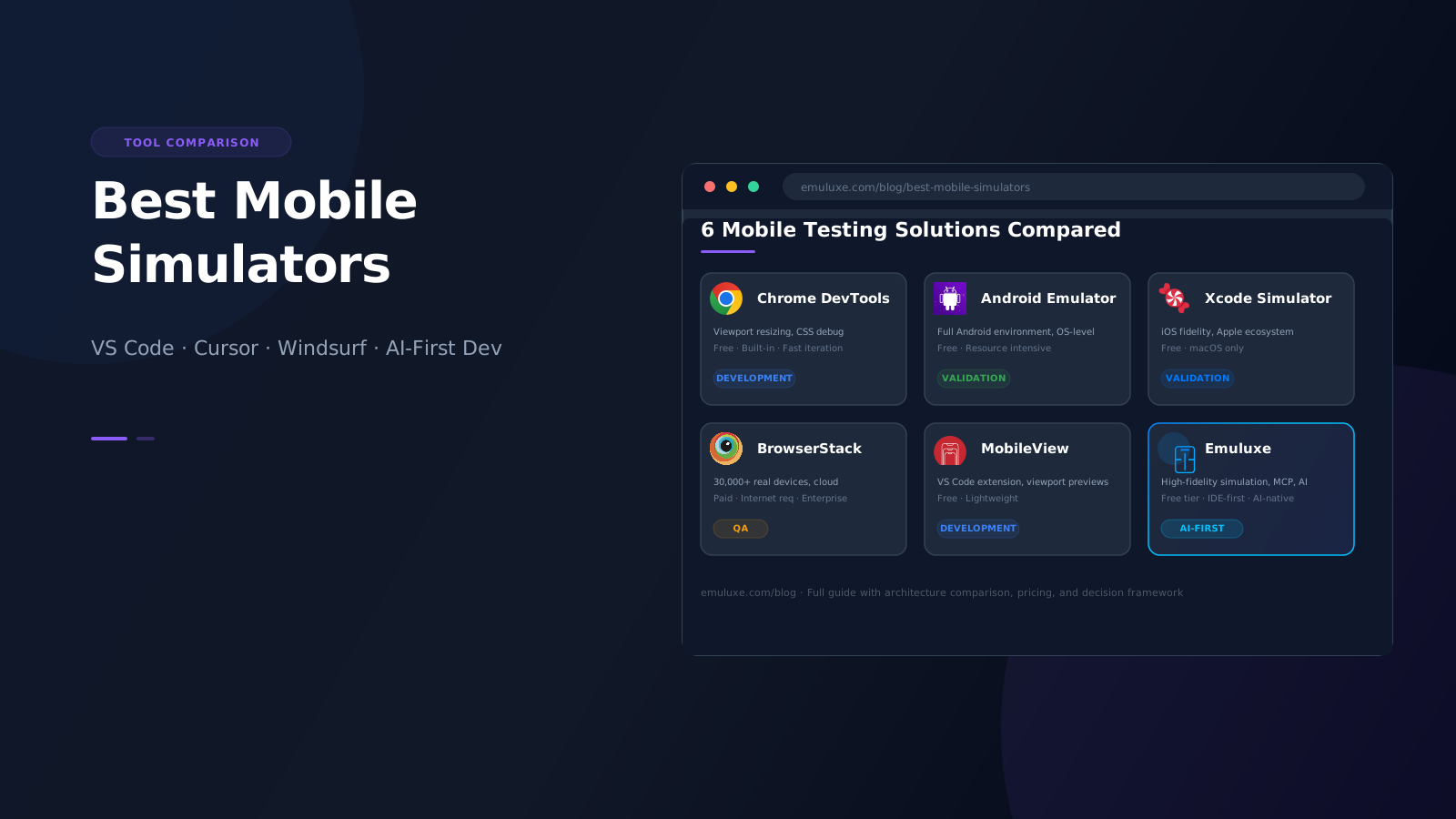
| Tool | Best For |
|---|---|
| Chrome DevTools | Quick responsive checks and CSS debugging |
| Android Emulator | Android platform-specific validation |
| Xcode Simulator | iOS platform-specific validation |
| BrowserStack | Real device validation at scale |
| MobileView | Lightweight VS Code mobile previews |
| Emuluxe | IDE-native high-fidelity mobile simulation with AI workflow support |
Why Mobile Testing Still Feels Fragmented
Most development workflows today look something like this:
VS Code → Browser DevTools → Emulator → Refresh Localhost → Switch Device → Repeat
Meanwhile AI assistants, Git, terminals, databases, deployments, and debugging tools have increasingly moved directly into the editor.
Mobile testing remains one of the few workflows that still requires constant movement between separate tools - making MCP mobile testing and AI-integrated simulation increasingly important for modern teams.
The challenge isn't a lack of tools.
It's that most tools were built for a different stage of the development lifecycle.
Some are optimized for rapid development.
Others are optimized for QA validation.
Others focus on real-device testing.
Understanding those differences is critical.
What Makes a Good Mobile Simulator?
When evaluating mobile testing tools, developers should consider:
Simulation Accuracy
Can the tool accurately represent:
- Device dimensions
- DPR scaling
- Safe areas
- Notches
- Dynamic islands
- Browser behavior
Development Workflow Integration
Does testing happen:
- Inside the editor?
- Inside the browser?
- Inside CI/CD?
- Inside AI workflows?
Speed
Can developers verify changes instantly?
Or must they launch separate environments every time?
Real Device Validation
Can the tool verify behavior on actual hardware?
AI Readiness
Can AI agents participate in mobile testing workflows through MCP, CLI, or API access?
This category is becoming increasingly important as AI-assisted development grows - tools that support MCP mobile testing enable Cursor, Windsurf, and Claude Code agents to verify mobile UIs programmatically.
Why Most Developers End Up Using Multiple Tools
The six tools covered in this guide are not strict alternatives.
Most developers use more than one.
A typical workflow looks like this:
Chrome DevTools → Emuluxe → BrowserStack
     ↓               ↓            ↓
  Quick checks    Dev build    Pre-release QA
- Chrome DevTools during initial coding for rapid responsive checks
- Emuluxe during active development for high-fidelity mobile simulation inside the editor
- BrowserStack before release for comprehensive real-device validation
Using multiple tools is not a sign of a broken workflow. It reflects the reality that no single tool covers every stage of the development lifecycle equally well.
Understanding this helps you evaluate each tool based on what it does best rather than looking for a single replacement for everything.
Chrome DevTools Device Mode
Chrome DevTools remains the default mobile testing solution for many developers.
Strengths
- Built into Chrome
- Fast
- Free
- Excellent for responsive layouts
Limitations
- Primarily viewport resizing
- Limited hardware simulation
- No editor integration
- Requires browser context switching
Best for:
- Quick responsive checks
- CSS debugging
- Early development validation
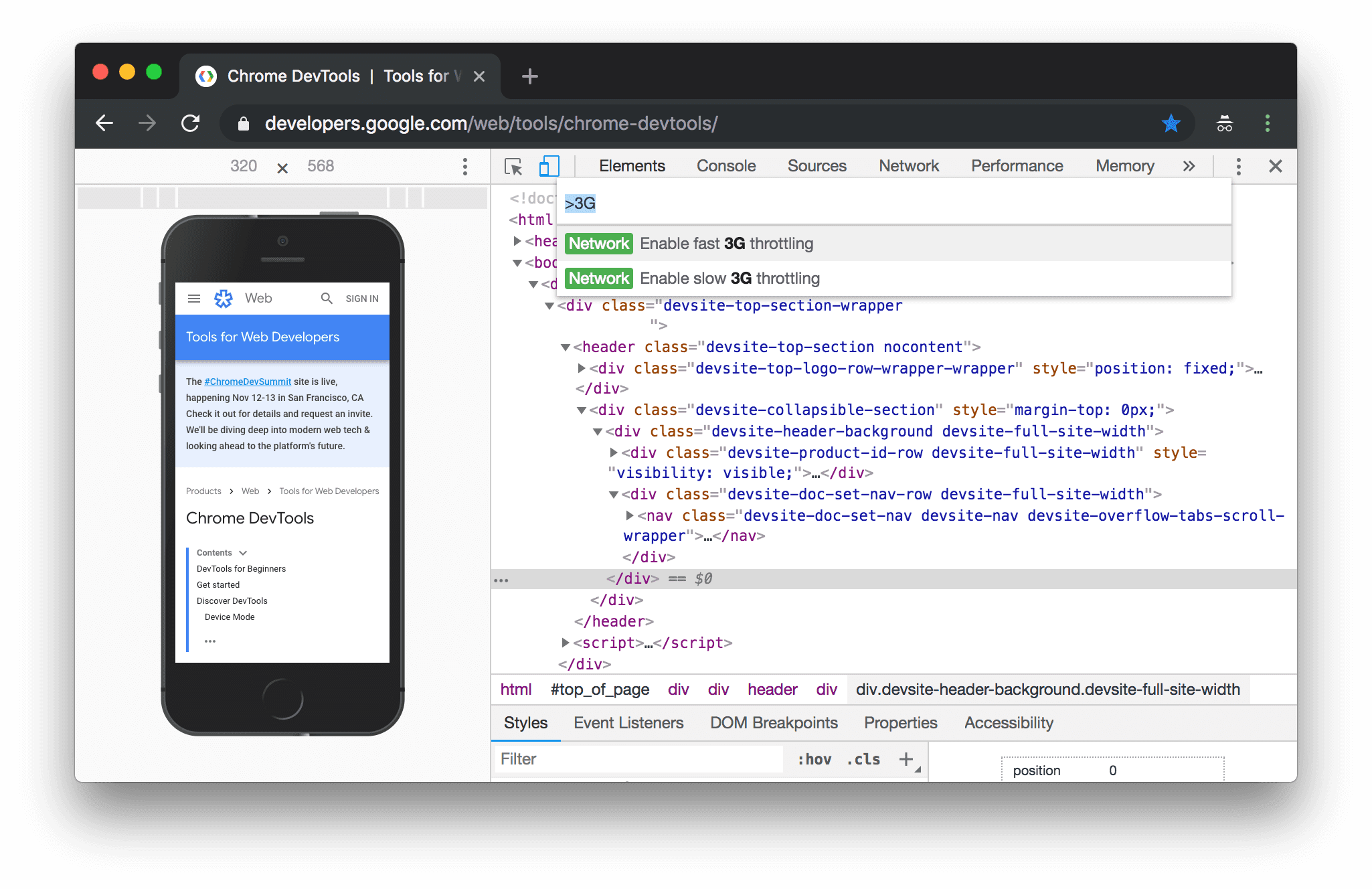
Learn more about Chrome DevTools Device Mode
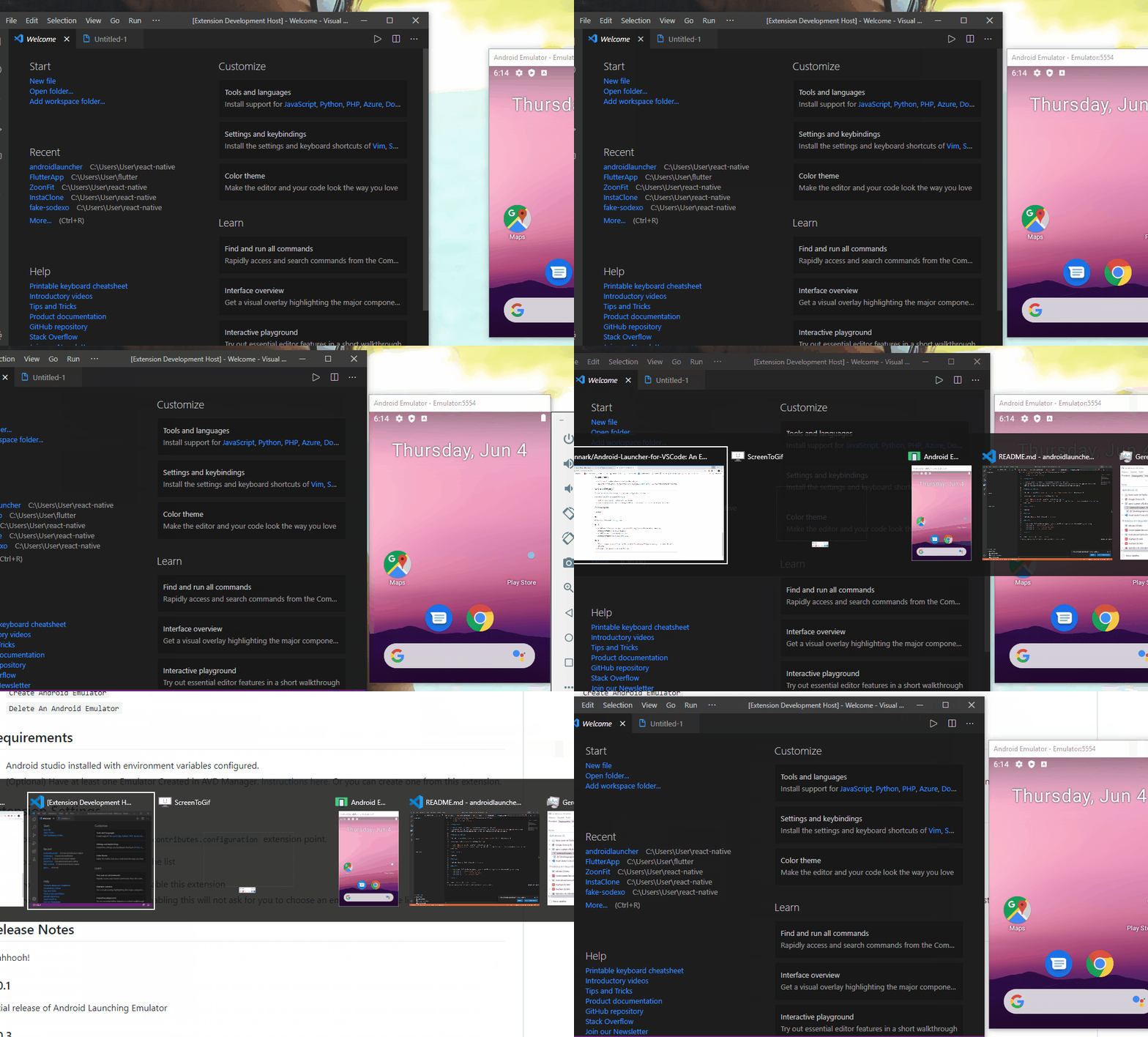
Android Emulator
The Android Emulator remains one of the most powerful Android testing environments available.
Strengths
- Official Google tooling
- Full Android environment
- Realistic Android behavior
- Excellent platform-specific testing
Limitations
- Resource intensive
- Slower startup times
- Separate workflow from the editor
- Significant context switching
Best for:
- Android-specific validation
- Native app testing
- OS-level behavior testing
For VS Code users, the Android Launcher extension provides a convenient way to launch and manage Android emulators directly from the editor.
Xcode Simulator
For iOS development, Apple's simulator remains the standard.
Strengths
- Official Apple tooling
- Strong platform fidelity
- Excellent iOS debugging
Limitations
- macOS only
- Separate workflow
- Primarily focused on native applications
Best for:
- iOS application development
- Apple ecosystem validation
For developers who want iOS simulator integration in VS Code, SweetPad is the leading extension - it lets you build, run, debug, and test Xcode projects for iOS, macOS, tvOS, watchOS, and visionOS directly from VS Code or Cursor using Apple's own CLI tooling.
BrowserStack
BrowserStack approaches mobile testing differently.
Instead of simulation, BrowserStack provides access to thousands of real devices in the cloud.
Strengths
- Real hardware
- Massive device coverage
- Enterprise integrations
- Strong CI/CD support
Limitations
- Internet dependency
- Session latency
- Less suited for rapid local iteration
- Usage-based workflows
Best for:
- QA teams
- Release validation
- Cross-device verification
- Enterprise testing
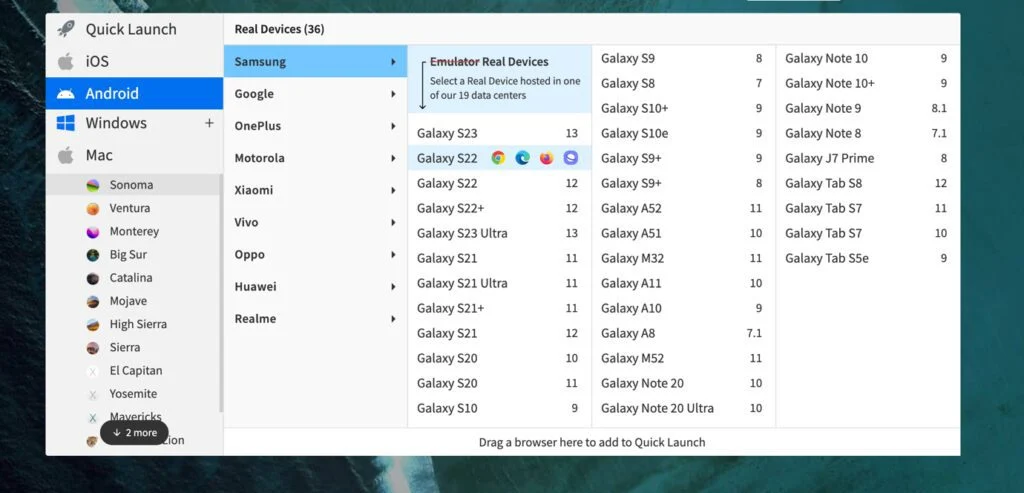
Install BrowserStack VS Code Extension | Explore BrowserStack Platform
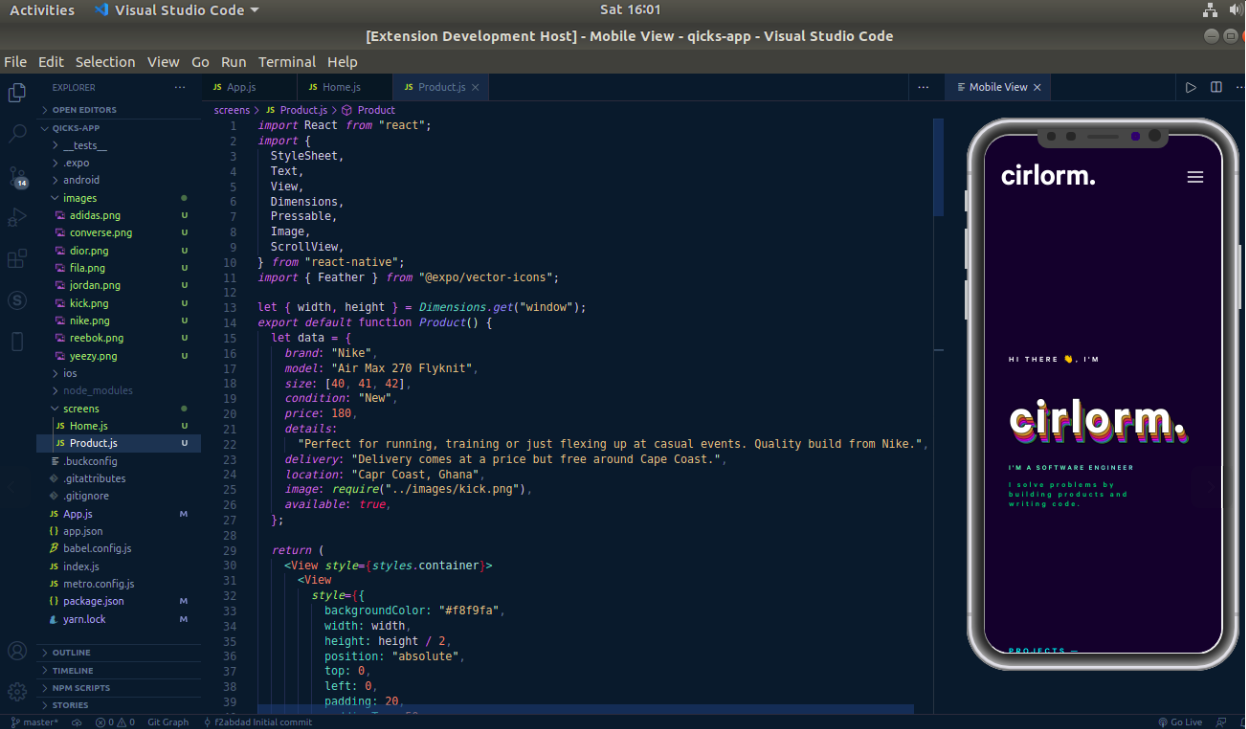
MobileView for VS Code
MobileView is one of the more popular VS Code mobile preview extensions.
Strengths
- Editor integration
- Lightweight workflow
- Quick previews
Limitations
- Primarily viewport-oriented
- Limited hardware simulation
- Less emphasis on device-specific behavior
Best for:
- Basic responsive testing inside VS Code
Install MobileView from the VS Code Marketplace
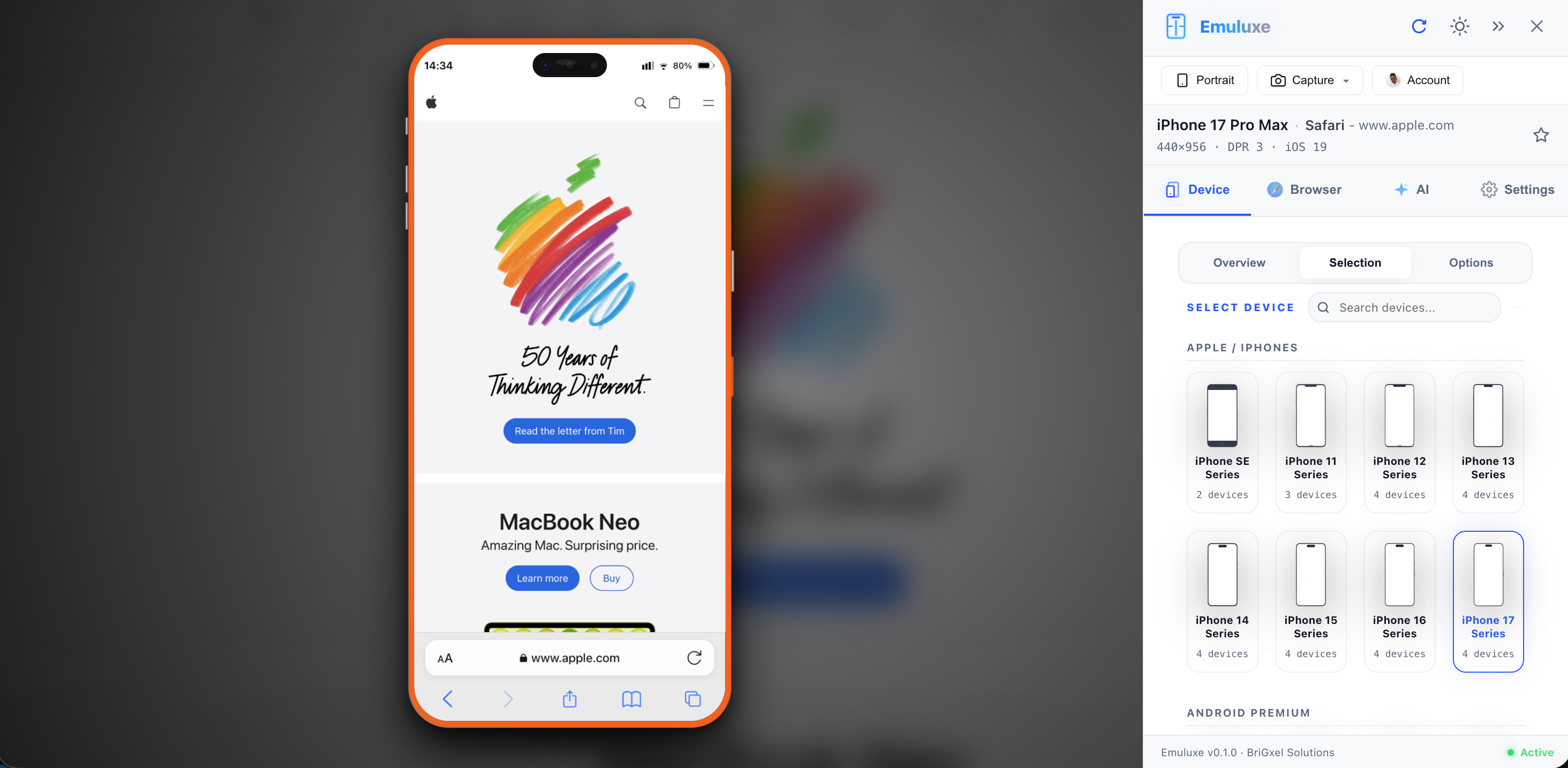
Emuluxe
Emuluxe takes a different approach.
Instead of bringing developers to a device cloud, it brings high-fidelity mobile simulation directly into development workflows.
Core Philosophy
Build where developers already work.
Rather than treating mobile testing as a separate phase, Emuluxe integrates simulation into:
- VS Code
- Cursor
- Windsurf
- Chrome
- MCP workflows
- CLI workflows
Strengths
- IDE-first workflow
- High-fidelity device simulation
- Hardware-aware rendering
- AI-powered debugging
- MCP integration
- Chrome extension support
- Localhost testing
- Fast iteration cycles
Best For
- Frontend developers
- AI-assisted workflows including Cursor mobile testing and Windsurf mobile testing
- Responsive development
- Local testing
- Continuous mobile verification
Cost Comparison
| Tool | Free Tier | Paid Plans |
|---|---|---|
| Chrome DevTools | Yes | Free |
| Android Emulator | Yes | Free |
| Xcode Simulator | Yes | Free |
| MobileView | Yes | Free |
| BrowserStack | Limited (100 min/month) | $19/mo+ |
| Emuluxe | Yes (5/month) | From $9.99/mo |
Cost is one of the most common reasons developers look for alternatives to traditional mobile testing tools. The economics matter because mobile testing needs to happen repeatedly - on every feature, every PR, every release.
Free tools like Chrome DevTools, Android Emulator, and Xcode Simulator work well for occasional use but introduce significant context switching and workflow friction when used as primary development tools.
Paid tools like Emuluxe and BrowserStack offer different value propositions: Emuluxe focuses on local development iteration with AI-powered diagnostics, while BrowserStack provides access to real device infrastructure at scale.
Architecture Comparison
| Tool | Editor Integration | Real Devices | AI Workflow Support | Local Testing | Best Stage |
|---|---|---|---|---|---|
| Chrome DevTools | No | No | No | Yes | Development |
| Android Emulator | Limited | No | No | Yes | Validation |
| Xcode Simulator | Limited | No | No | Yes | Validation |
| BrowserStack | No | Yes | Emerging | Limited | QA |
| MobileView | Yes | No | No | Yes | Development |
| Emuluxe | Yes | No | Yes | Yes | Development |
Which Tool Should You Choose?
Choose Chrome DevTools If
You need quick responsive testing.
Choose Android Emulator If
You need Android platform fidelity.
Choose Xcode Simulator If
You need iOS platform fidelity.
Choose BrowserStack If
You need real-device validation.
Choose MobileView If
You want lightweight mobile previews inside VS Code.
Choose Emuluxe If
You want mobile testing integrated directly into your development workflow across VS Code, Cursor, Windsurf, MCP, Chrome, and AI-assisted environments.
Which Tools Work Best With AI Coding Agents?
AI-powered coding agents have changed how developers build software. Tools like Cursor, Windsurf, and Claude Code can generate components, write tests, refactor code, and even debug issues - all without leaving the editor.
However, most mobile testing tools were designed long before AI coding agents became common.
This creates a disconnect:
- AI can generate code
- AI can write tests
- AI can refactor applications
- Yet mobile verification still requires manually launching browsers, emulators, and testing environments
For developers using Cursor mobile testing workflows, Windsurf mobile testing agents, or Claude Code mobile testing automation, tools that integrate directly into AI-driven development environments can significantly reduce context switching.
How Traditional Tools Compare
| Tool | AI Agent Integration | Why It Matters |
|---|---|---|
| Chrome DevTools | None | No programmatic access for agents |
| Android Emulator | Limited | No API for AI-driven testing |
| Xcode Simulator | Limited | macOS-only, no agent API |
| BrowserStack | Emerging (API) | Cloud-based, some MCP support |
| MobileView | None | Viewport-only, no agent access |
| Emuluxe | Native (MCP + CLI) | Agents can launch, inspect, verify |
What AI-Native Mobile Testing Looks Like
With tools that support MCP (Model Context Protocol), AI agents can participate in mobile testing in ways that were not possible before:
Traditional workflow
├── Developer writes code
├── Developer opens browser DevTools
├── Developer resizes viewport
├── Developer guesses if layout is correct
└── Developer repeats on next device

AI-assisted workflow
├── Developer or agent writes code
├── Agent launches simulation via MCP
├── Agent inspects layout automatically
├── Agent identifies issues (safe areas, notches, overflow)
├── Agent suggests or applies fixes
└── Agent re-verifies on multiple device profiles
The difference is not just speed - it is a fundamental shift in how mobile testing fits into the development cycle. Instead of being a manual validation step that interrupts flow, it becomes an automated verification layer that runs alongside code generation.
Which Tool Is Best for Cursor, Windsurf, and Claude Code?
For developers using Cursor, Windsurf, Claude Code, or any MCP-powered environment, the key requirement is a tool that exposes simulation capabilities directly to AI agents.
Emuluxe provides this through its MCP server, which gives agents the ability to:
- Launch high-fidelity mobile simulations with a single command
- Select from 100+ device profiles including iPhone 16 Pro, Pixel 8 Pro, and foldables
- Capture screenshots for visual analysis
- Rotate devices and switch orientations
- Apply network conditions (3G, 4G, 5G)
- Inspect safe areas, notches, and dynamic island rendering
This is one of the reasons mobile simulation is increasingly moving closer to the editor rather than remaining a separate QA activity. When AI agents can participate in testing, the tool must be accessible from within the same environment where the agent operates.
The Rise of AI-Native Mobile Testing
The next generation of development tools is being shaped by AI.
Developers are increasingly building inside:
- VS Code
- Cursor
- Windsurf
- Claude Code
- MCP-powered environments
Yet mobile testing workflows have largely remained unchanged.
This creates a significant opportunity for tools that integrate mobile simulation directly into AI-assisted development environments rather than treating testing as a separate activity. Claude Code mobile testing, Cursor mobile testing, and Windsurf mobile testing are no longer experimental - they are becoming expected capabilities for modern development teams.
The future is likely not simulation versus real devices.
It's development-first simulation combined with targeted real-device validation.
FAQ
What is the best mobile simulator for VS Code?
For lightweight viewport previews, MobileView is a popular choice. For high-fidelity mobile simulation with device-specific hardware rendering (notches, safe areas, dynamic islands), AI-powered diagnostics, and MCP support for AI agents, Emuluxe provides significantly deeper integration with VS Code and Cursor.
Is BrowserStack a simulator?
No. BrowserStack provides access to real physical devices in the cloud rather than simulating device behavior. This makes it excellent for final validation before release but less suited for rapid local development iteration where you need instant feedback.
Can Cursor test mobile UIs?
Cursor can test mobile UIs when connected to a simulation tool that supports MCP (Model Context Protocol). Without MCP-enabled simulation, Cursor's AI agents can only reason about code without visual verification. Emuluxe provides MCP integration that allows Cursor agents to launch simulations, capture screenshots, and verify mobile layouts programmatically.
What is the difference between Chrome DevTools and Emuluxe?
Chrome DevTools provides viewport resizing for responsive testing. Emuluxe provides high-fidelity device simulation with hardware-aware rendering - notches, dynamic islands, safe areas, device-specific browser behavior, and touch interaction patterns. Emuluxe also integrates directly into VS Code, Cursor, Windsurf, and MCP workflows, while Chrome DevTools requires working inside the browser.
Do I still need real devices?
For final validation before shipping, real devices remain valuable for catching hardware-specific issues. For day-to-day development iteration, high-fidelity simulation provides faster feedback with fewer context switches. A practical strategy is using simulation during development and real devices for pre-release QA.
Can AI agents perform mobile testing?
Yes, when connected to MCP-enabled simulation tools. AI agents can launch simulations, inspect layouts, capture screenshots, identify safe-area issues, and verify fixes across multiple device profiles - all without human intervention. This capability is emerging as a key differentiator for AI-first development workflows.
Final Thoughts
There is no single best mobile testing tool.
Different tools solve different problems.
Chrome DevTools is excellent for quick checks.
Android Emulator and Xcode Simulator provide platform fidelity.
BrowserStack delivers real-device validation.
MobileView offers lightweight previews.
Emuluxe focuses on bringing high-fidelity mobile simulation directly into the environments where modern developers already work.
As development becomes increasingly AI-assisted, the tools that minimize context switching and keep developers inside their workflow will become increasingly important.