Emuluxe vs BrowserStack: Local Simulation vs Real Device Cloud
Two different approaches to mobile testing have emerged: local high-fidelity simulation and real device cloud testing. Understanding the distinction matters for development teams because it affects your workflow, budget, and testing strategy.
What BrowserStack Actually Does
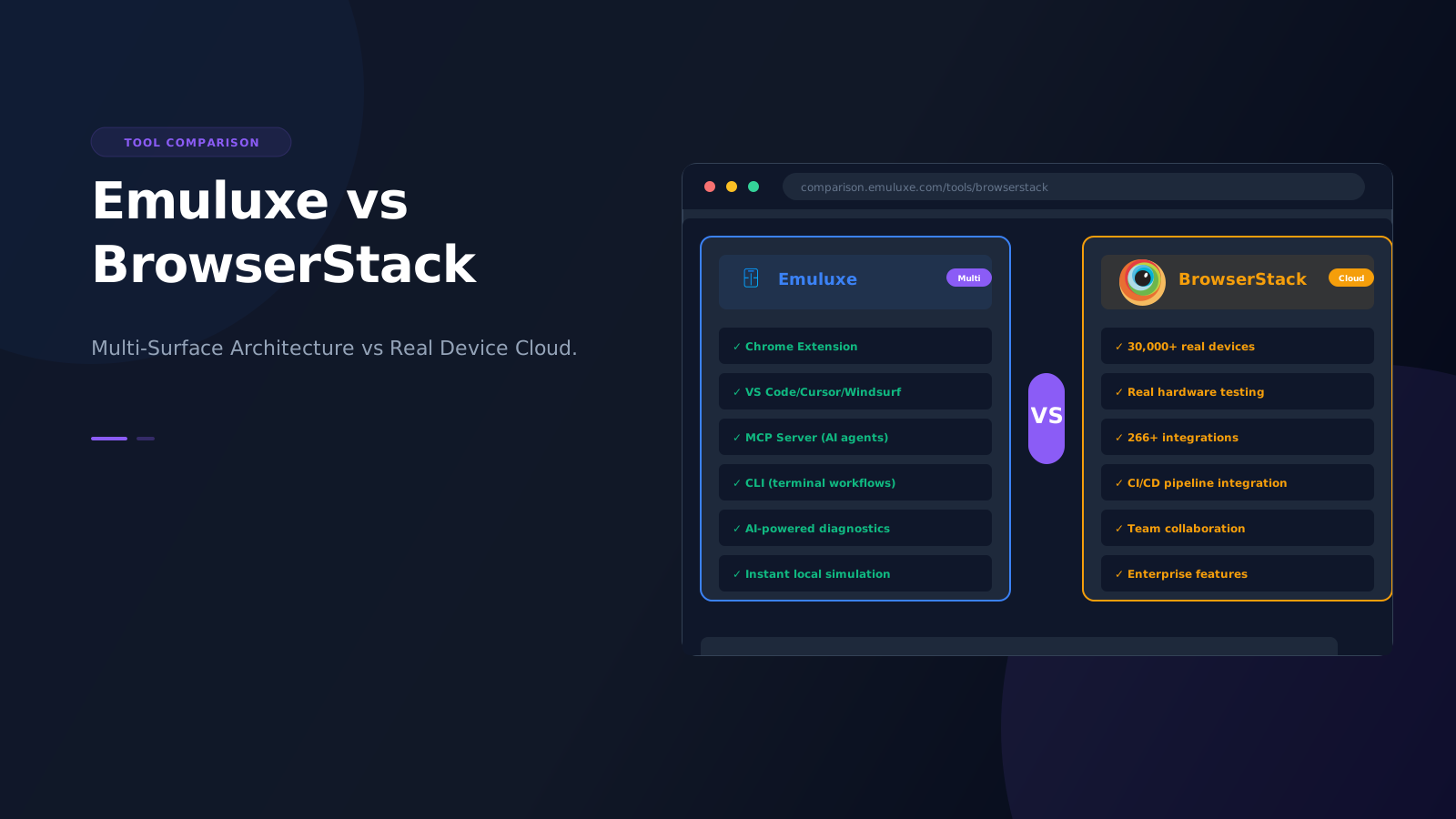
BrowserStack provides a real device cloud of 30,000+ iOS & Android devices. Their platform includes:
- App Live for interactive manual testing on real devices
- App Automate for CI/CD integration with Appium, Espresso, XCUITest
- Real device features including biometrics, physical SIM, file transfer, and 30+ native device features
- Natural gestures and real-time debugging capabilities
- Multi-device testing (up to 4 devices simultaneously)
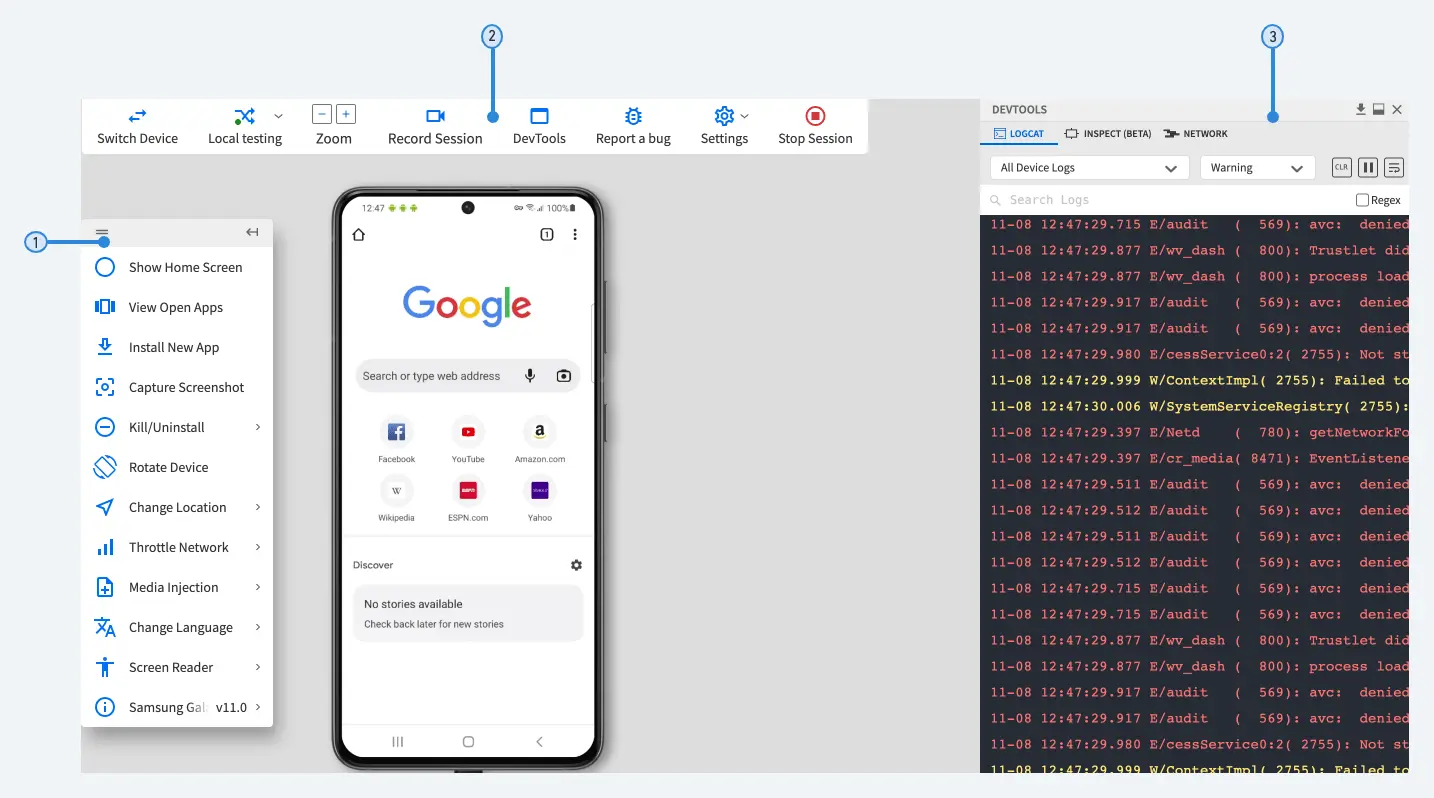
BrowserStack's pricing starts at $19/month for the Freelancer plan (100 minutes App Live), with Device Cloud Pro available through annual billing and Enterprise plans for larger teams.
Learn more about App Live | Explore Automate | View Pricing
What Emuluxe Actually Does
Emuluxe provides high-fidelity local simulation on your developer's machine. Key capabilities include:
- Device-specific browser behavior and rendering
- Hardware-aware rendering (notches, dynamic islands, safe areas)
- Touch interaction patterns and browser UI simulation
- CI/CD integration and AI-powered debugging
- Instant access without cloud dependencies
- Multi-surface architecture: Chrome Extension, VS Code/Cursor/Windsurf/Antigravity, MCP, CLI
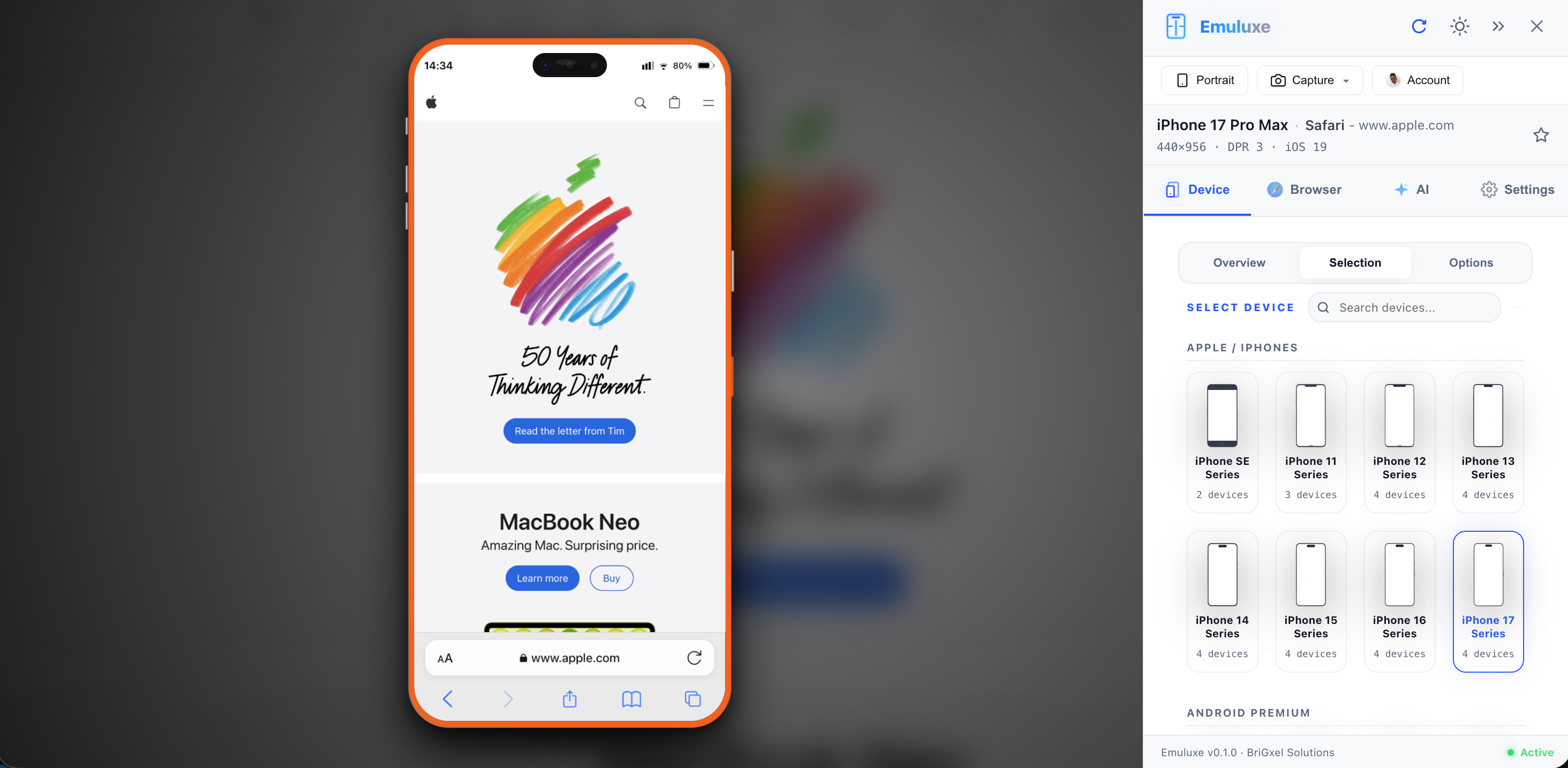
Emuluxe's pricing includes a Free tier ($0, 5 Sessions/Month, 20 devices, 10 min duration), Pro tier ($14.99/month or $9.99/yearly, 50 Monthly Sessions, 100+ devices, 30 min duration, 3 simultaneous), and Enterprise tier (Custom pricing, unlimited usage, SSO, audit logs).
Install Chrome Extension | Visit Platform | View Pricing
Architecture Comparison: Multi-Surface vs Cloud-Native
Emuluxe Architecture
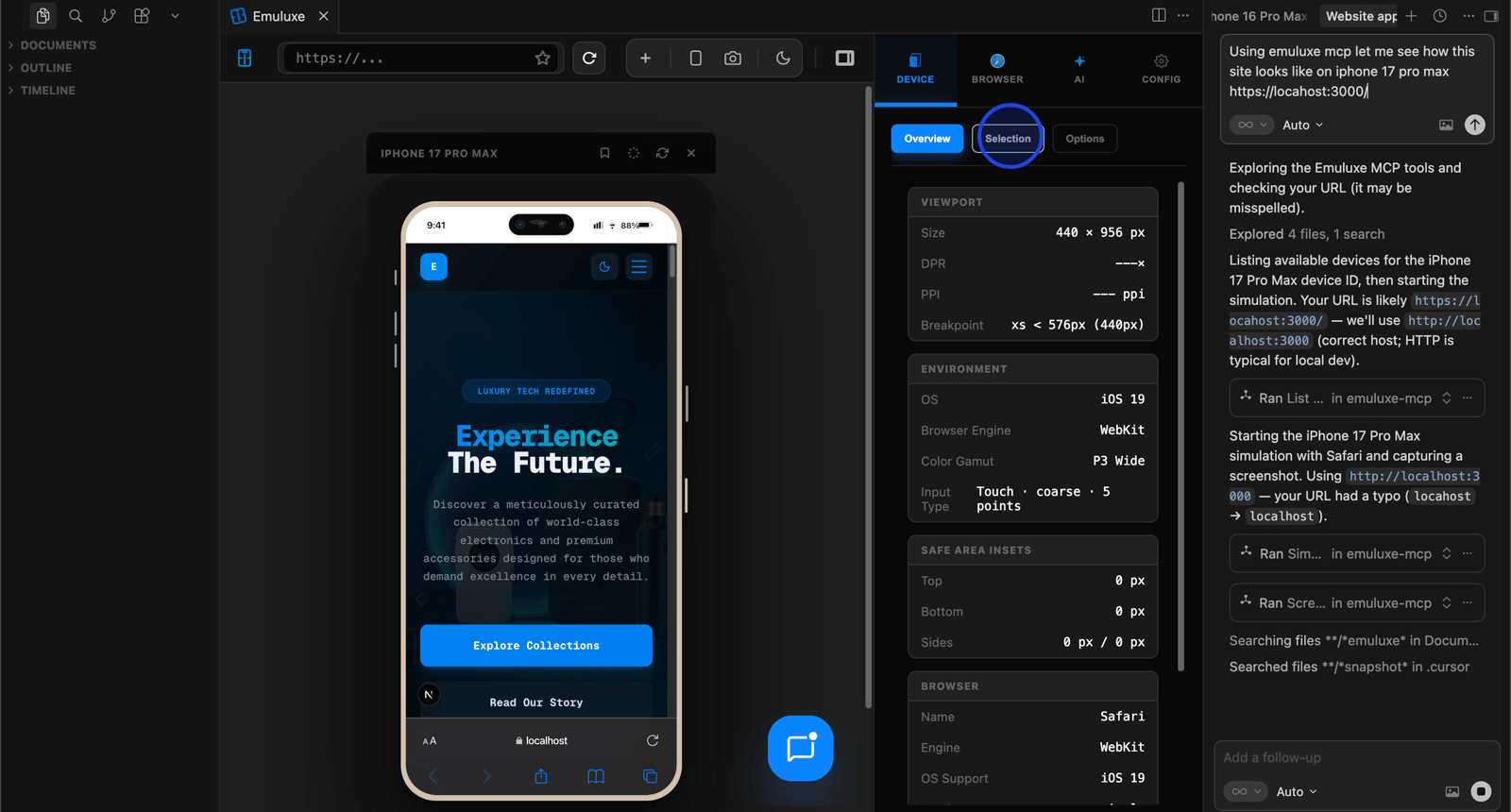
Emuluxe brings simulation to where developers work through a multi-surface architecture:
- Chrome Extension: Live-site simulation with AI diagnostics
- VS Code Extension: Localhost simulation with MCP integration
- MCP Server: AI agent integration for Cursor, Claude, Windsurf, Antigravity
- CLI: Terminal-driven simulation launches
- Bi-directional sync across all surfaces
BrowserStack Architecture
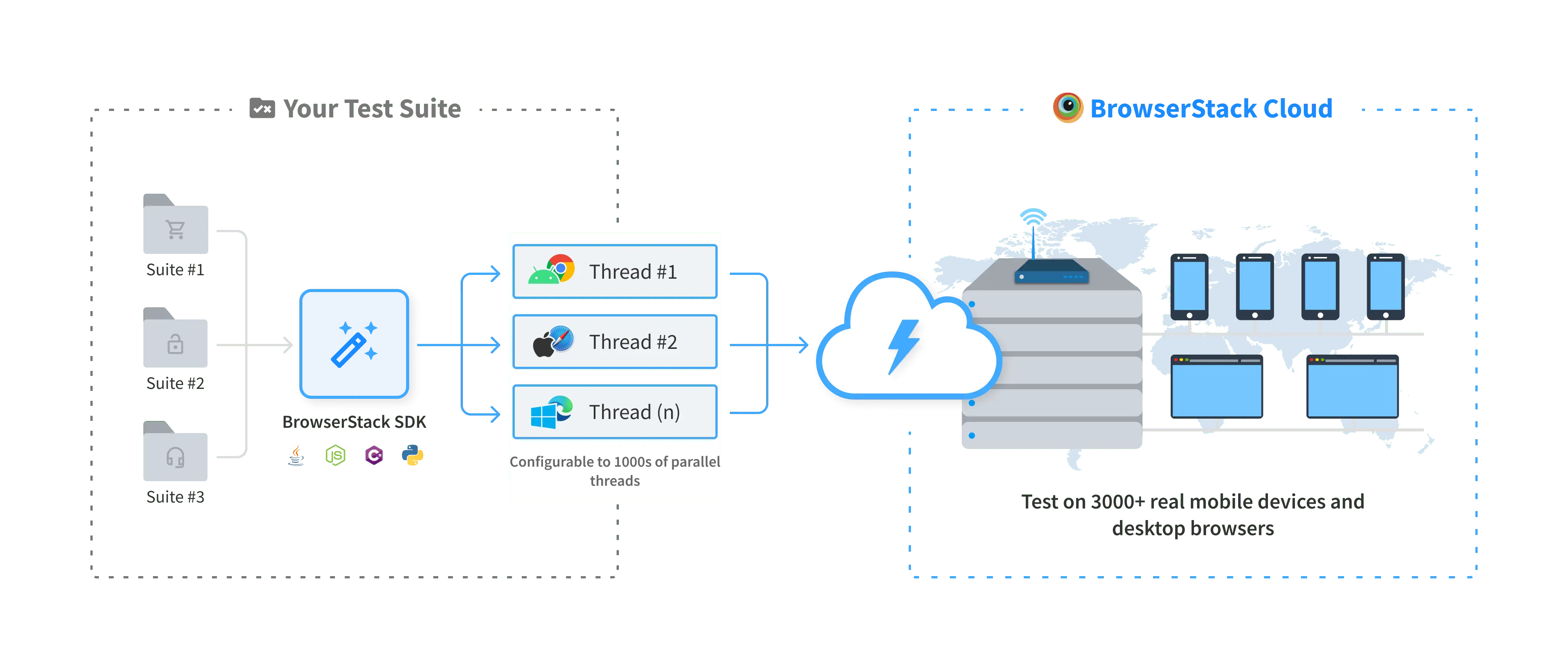
BrowserStack uses a cloud-native real device infrastructure:
- Cloud-native real device infrastructure
- 266+ integrations (CI/CD, automation frameworks, REST APIs)
- BrowserStack SDK for Selenium/Appium
- Local Testing tunnel for localhost/staging
- Browser Extensions and IDE integrations
- MCP Tools support
Key Architectural Difference
Emuluxe brings simulation to where developers work (local, IDEs, AI agents), while BrowserStack brings developers to a centralized device cloud.
Explore Emuluxe Docs | View BrowserStack Integrations
The Core Difference: Local Simulation vs Real Device Cloud
- Speed: Local simulation is instant; real device cloud has latency
- Accuracy: Real devices catch hardware-specific bugs; simulation catches layout/context issues
- Cost: Emuluxe Free tier available, Pro $14.99/month; BrowserStack Freelancer $19/month
- Workflow: Simulation fits development iteration; real devices fit QA validation
- Access: Simulation works offline; real devices require internet
Where BrowserStack Excels
- Comprehensive device coverage (30,000+ devices)
- Real hardware testing (biometrics, sensors, actual performance)
- Team collaboration and shared testing environments
- Regulatory compliance (data residency, security)
- Enterprise features (analytics, reporting, SSO)
- Extensive integration ecosystem (266+ integrations)
- CI/CD pipeline integration with REST APIs
- When you need to test on actual physical devices
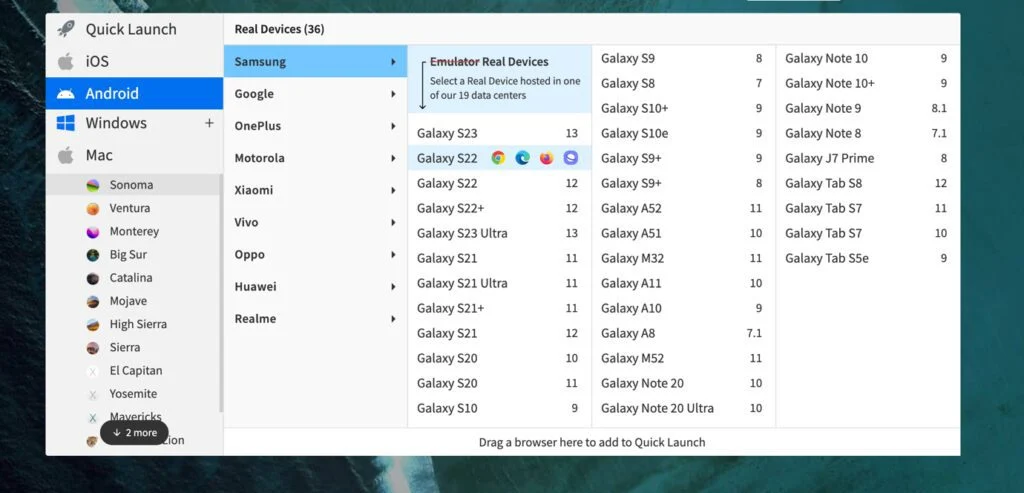
Explore App Live | View Integrations
Where Emuluxe Excels
- Instant local development iteration
- High-fidelity device context during coding
- Multi-surface architecture (Chrome, IDEs, MCP, CLI)
- AI-powered diagnostics and debugging
- Works offline and in local development
- IDE integration for seamless workflow (VS Code, Cursor, Windsurf, Antigravity)
- MCP support for AI agents (Cursor, Claude, Windsurf, Antigravity)
- Faster feedback loop during development
- Lower cost entry point (Free tier available)
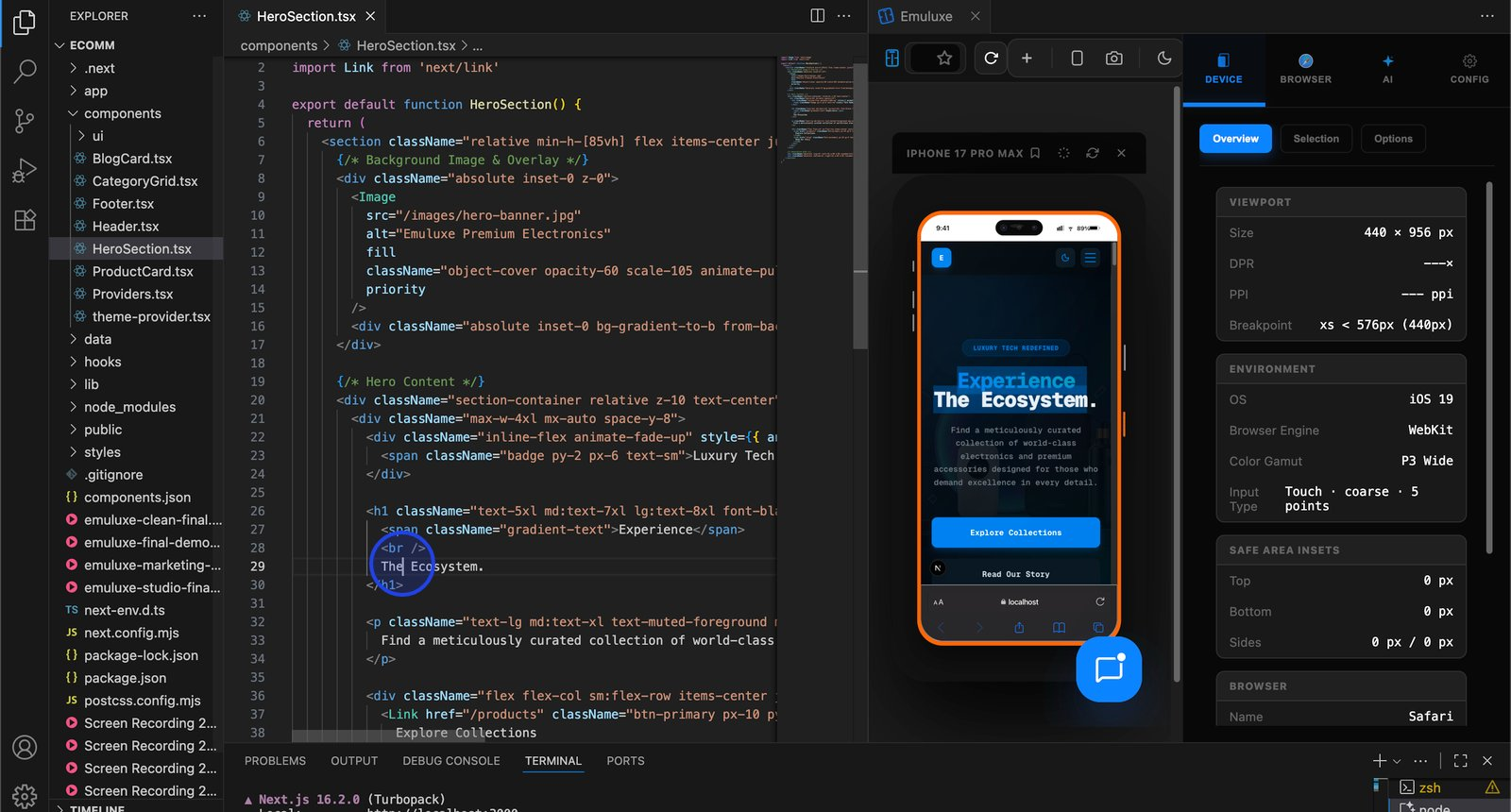
Install VS Code Extension | Explore MCP Server
Integration & Workflow Comparison
Emuluxe Integrations
- Chrome Extension for live-site testing
- VS Code/Cursor/Windsurf/Antigravity for localhost development
- MCP Server for AI agent workflows
- CLI for terminal-driven workflows
- Bi-directional sync across all surfaces
BrowserStack Integrations
- CI/CD tools (Jenkins, GitLab, Travis CI, GitHub Actions)
- Automation frameworks (Selenium, Cypress, Appium, Espresso, XCUITest)
- REST APIs for programmatic access
- BrowserStack SDK for test framework integration
- Local Testing tunnel for localhost/staging
Workflow Impact
Emuluxe integrates into development workflow; BrowserStack integrates into testing/QA workflow.
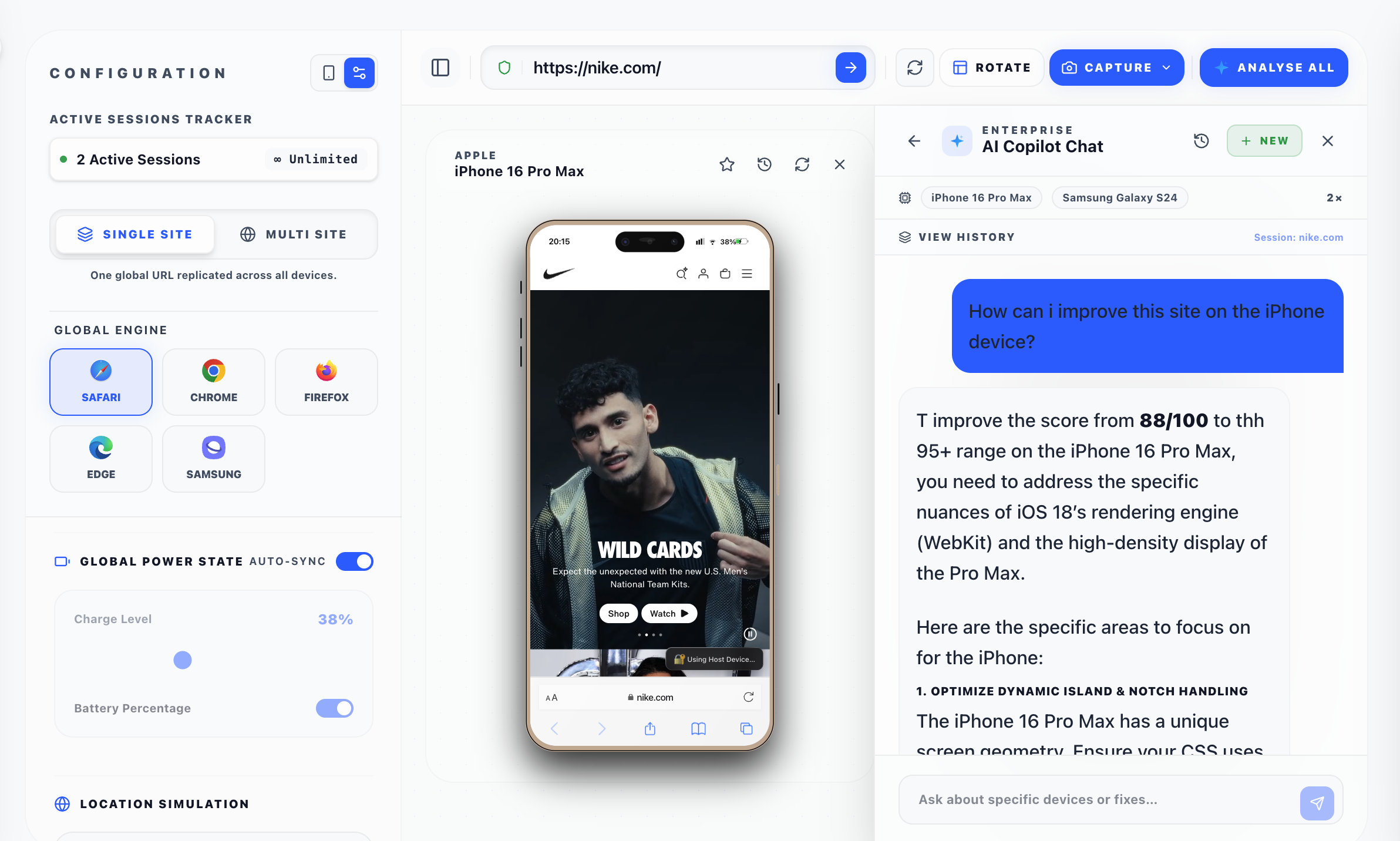
Explore Emuluxe Integrations | View BrowserStack Integrations
Practical Workflow Comparison
Scenario 1: Developing a new mobile feature
Use Emuluxe for instant iteration during development. The VS Code extension provides localhost simulation with device selection, allowing you to see changes in real-time across different devices.
Scenario 2: Validating before production release
Use both tools: Emuluxe for quick local checks, BrowserStack for comprehensive real-device validation. This hybrid approach catches both layout issues and hardware-specific bugs.
Scenario 3: Debugging a specific device issue
Use Emuluxe for simulation context to understand the issue, then verify on BrowserStack's real devices to confirm the fix works on actual hardware.
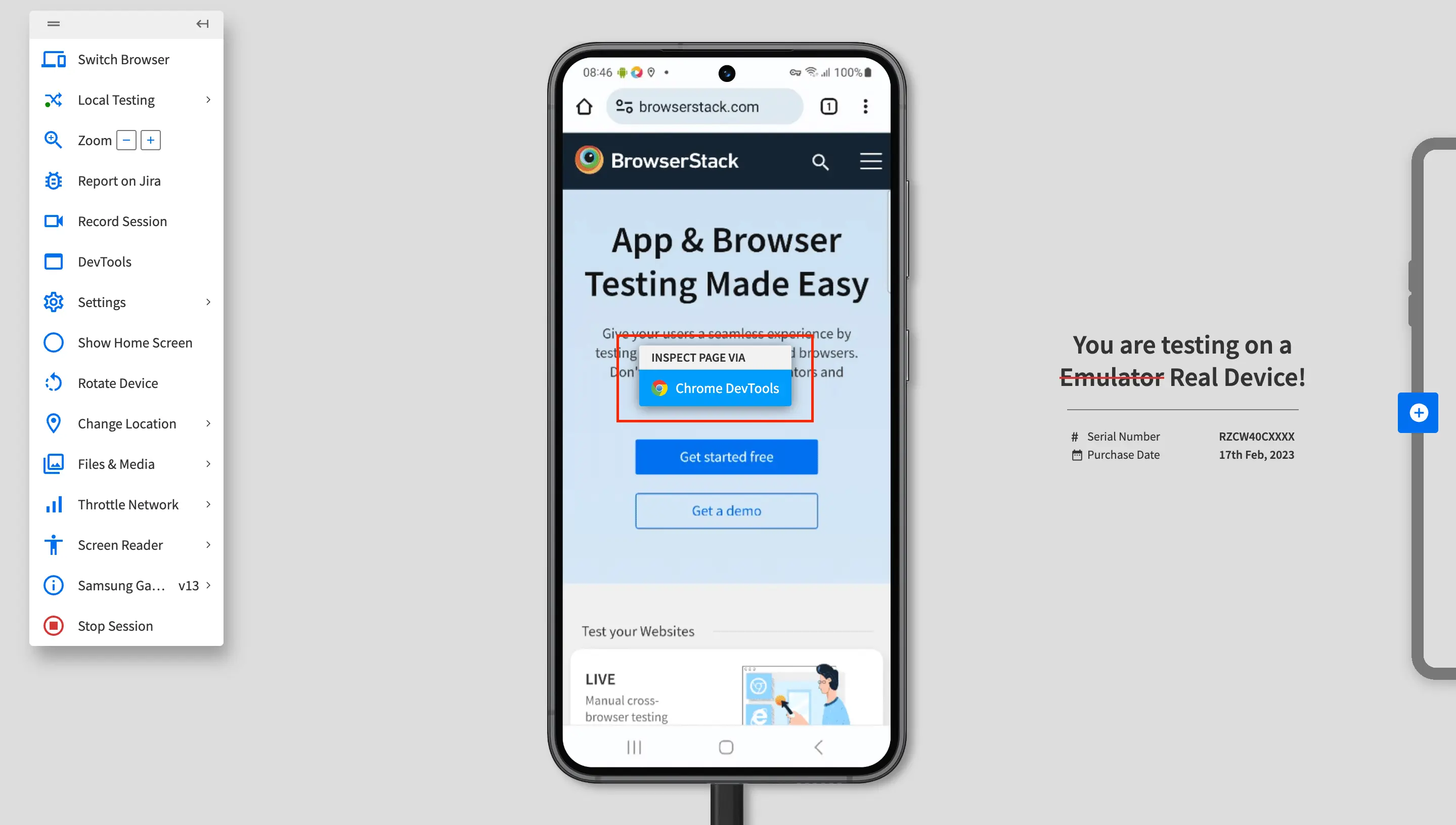
Scenario 4: Comprehensive cross-device testing
Use BrowserStack for scale. Their device cloud allows testing across thousands of devices simultaneously, which is impractical with local simulation.
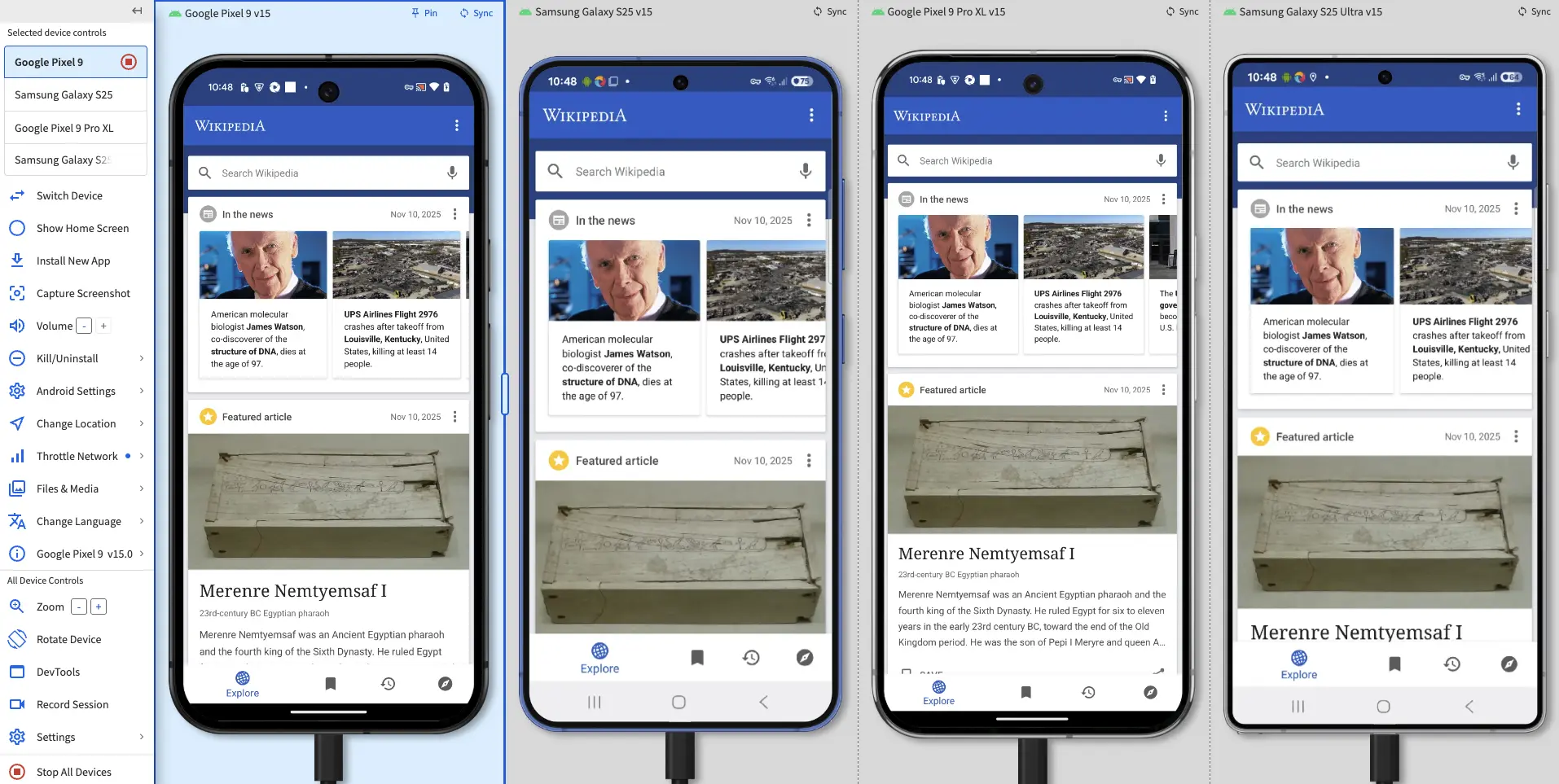
Scenario 5: AI-assisted mobile verification
Use Emuluxe MCP for agent workflows. AI agents can launch simulations and verify mobile UI automatically, integrating with Cursor, Claude, Windsurf, and Antigravity.
Scenario 6: CI/CD integration
Use BrowserStack for automated testing in CI/CD pipelines, and Emuluxe for local validation before committing. This combination ensures both automated coverage and developer confidence.
Cost Comparison
Emuluxe:
- Free: $0 (5 Sessions/Month, 20 devices, 10 min duration)
- Pro: $14.99/month or $9.99/yearly (50 Monthly Sessions, 100+ devices, 30 min duration, 3 simultaneous)
- Enterprise: Custom (unlimited usage, SSO, audit logs)
BrowserStack:
- Freelancer: $19/month (100 minutes App Live)
- Device Cloud Pro: Annual billing
- Enterprise: Custom plans available
Consider total cost of ownership and when each investment makes sense for your team.
When to Use Both Tools
- Development phase: Emuluxe for iteration and AI-powered debugging
- QA phase: BrowserStack for comprehensive real-device validation
- Production issues: BrowserStack for real device debugging
- AI workflows: Emuluxe MCP for agent-assisted verification
- Cost-effective hybrid approach: Use Emuluxe for development, BrowserStack for final validation
Decision Framework
Choose BrowserStack if:
- You need real devices
- You require team collaboration
- You need enterprise features
- You have extensive CI/CD integration needs
Choose Emuluxe if:
- You need instant local feedback
- You want development workflow integration
- You need AI-powered diagnostics
- You require MCP support
- You want a cost-effective entry point
Choose both if:
- Budget allows
- Comprehensive testing is needed
- You have a hybrid development/QA workflow
Conclusion
Both tools solve different problems with different architectural approaches. Emuluxe uses a multi-surface architecture that brings simulation to where developers work. BrowserStack uses a cloud-native architecture that brings developers to a centralized device cloud.
The right tool depends on your workflow needs, architectural preferences, and testing requirements. A hybrid approach is often optimal for a comprehensive mobile testing strategy.