Most mobile teams rely on code scanners for security testing.
They run static analysis tools, check for common vulnerabilities, and assume they're secure. If the code scanner passes, they ship.
This is dangerous.
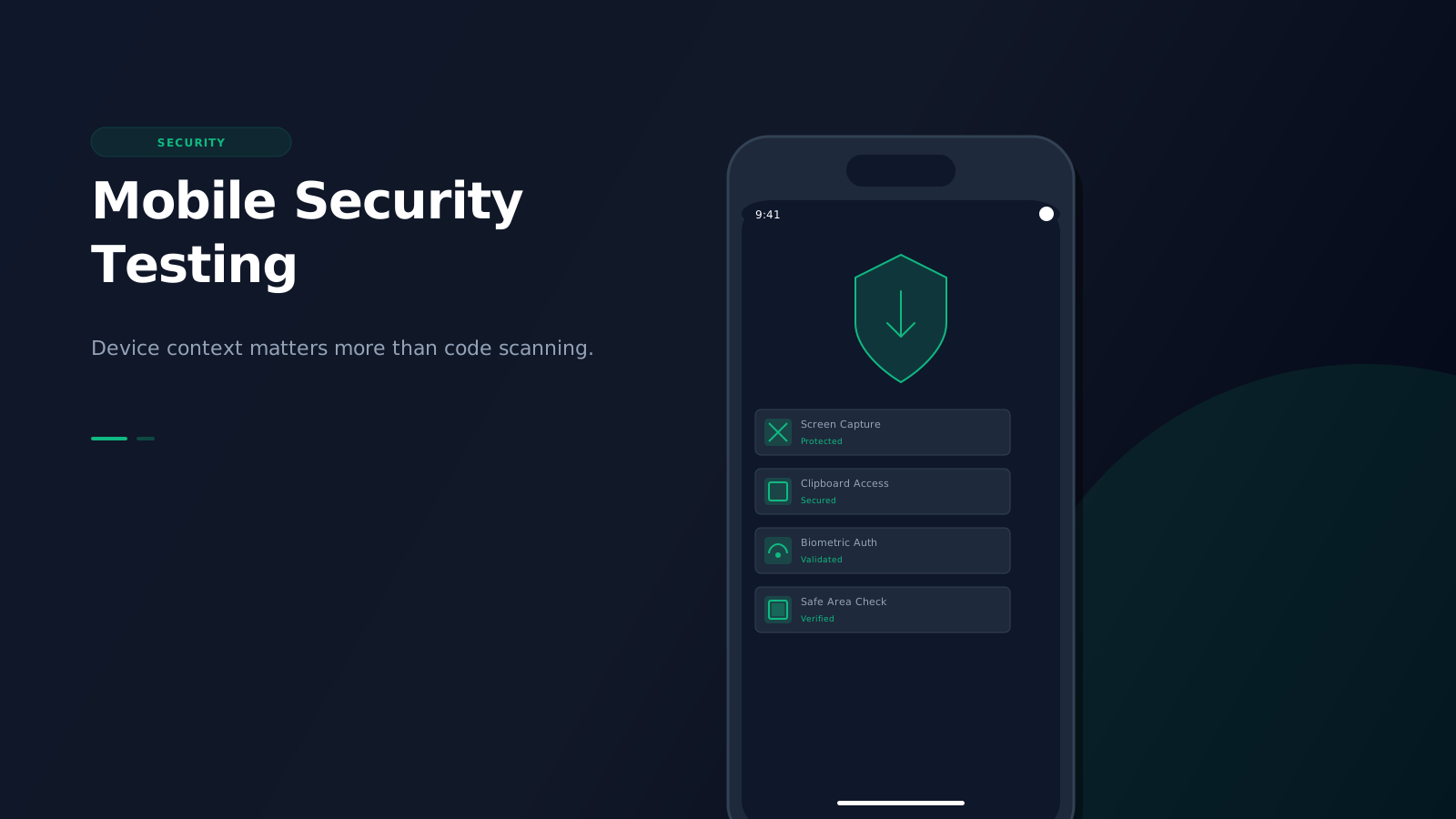
Mobile security is not just about code vulnerabilities. It's about device-specific security contexts that code scanners cannot see. Screen capture, clipboard access, biometric authentication, safe area exposure, and device UI interactions are security issues that only device context can reveal.
The code scanner illusion
Static analysis tools are great at finding code-level vulnerabilities:
- SQL injection
- XSS vulnerabilities
- Hardcoded secrets
- Insecure dependencies
- API security issues
But they cannot see device-specific security contexts:
- Screen capture behavior on different devices
- Clipboard access patterns
- Biometric authentication flows
- Safe area exposure of sensitive content
- Device-specific UI security implications
- Background activity restrictions
Code scanners analyze your code, but mobile security is about how your code interacts with devices-and that requires device context.
What code scanners miss
1. Screen capture vulnerabilities
Code scanners cannot tell you if sensitive content is exposed when users take screenshots on different devices.
The problem:
- Different devices handle screen capture differently
- Some devices allow system-wide screen recording
- Secure content might be visible in recent apps
- Notification previews can expose sensitive information
What code scanners miss:
- Whether your app prevents screen capture on sensitive screens
- How your app appears in the recent apps switcher
- Whether sensitive data is visible in notifications
- Device-specific screen capture behaviors
2. Clipboard security
Code scanners cannot validate clipboard access patterns in real device contexts.
The problem:
- Clipboard access is device-specific
- Some devices have clipboard history
- Background apps can access clipboard on some devices
- Clipboard data persists differently across devices
What code scanners miss:
- Whether sensitive data is copied to clipboard
- How long clipboard data persists
- Whether background apps can access your clipboard
- Device-specific clipboard security behaviors
3. Biometric authentication
Code scanners cannot validate biometric authentication flows on actual devices.
The problem:
- Biometric authentication varies by device
- Some devices don't support biometrics
- Biometric fallback behavior differs
- Biometric prompt timing affects security
What code scanners miss:
- Whether biometric prompts appear at the right time
- How your app handles devices without biometrics
- Whether biometric fallback is secure
- Device-specific biometric behaviors
4. Safe area exposure
Code scanners cannot detect if sensitive content is exposed in device safe areas.
The problem:
- Notches, dynamic islands, and home indicators can cover content
- Safe areas vary by device
- Sensitive content might be partially visible
- Device-specific safe area behaviors
What code scanners miss:
- Whether sensitive content is visible in notches
- How your app handles different safe area sizes
- Whether content is exposed in dynamic islands
- Device-specific safe area security implications
5. Background activity restrictions
Code scanners cannot validate how your app handles background restrictions on different devices.
The problem:
- Mobile OS restrict background activity differently
- Battery optimization affects background behavior
- Doze mode impacts background security
- Device-specific background restrictions
What code scanners miss:
- Whether your app respects background restrictions
- How battery optimization affects security
- Whether sensitive operations run in background
- Device-specific background security behaviors
The device context problem
Mobile security is inherently device-specific. The same code can behave differently on different devices:
- iOS vs Android: Different security models and restrictions
- Device age: Older devices have different security features
- OS version: Security features vary by OS version
- Manufacturer: Custom ROMs and manufacturer-specific security features
- Form factor: Phones vs tablets have different security implications
Code scanners cannot account for any of this device context. They analyze code in isolation, but mobile security is about code in context.
Real-world security failures
Apps that pass code scanners often have security vulnerabilities in production:
Case 1: Exposed credentials in recent apps
A banking app passed all code scanners but exposed account numbers in the recent apps switcher on certain Android devices. Code scanners couldn't detect this because it's a device UI behavior, not a code vulnerability.
Case 2: Clipboard data persistence
A password manager app copied passwords to clipboard but didn't clear them. On devices with clipboard history, passwords remained accessible to other apps. Code scanners couldn't detect this because clipboard behavior is device-specific.
Case 3: Biometric bypass
An e-commerce app used biometric authentication but didn't properly handle devices without biometrics. On those devices, it fell back to a weak PIN that was easily guessable. Code scanners couldn't detect this because it's a device capability issue.
Case 4: Safe area exposure
A messaging app showed message previews in notifications. On devices with dynamic islands, sensitive message content was partially visible in the safe area. Code scanners couldn't detect this because safe area behavior is device-specific.
How high-fidelity simulation helps
High-fidelity mobile simulation with device context addresses these security issues by:
Testing screen capture behavior
See how your app appears in screen captures, recent apps, and notifications on different devices. Validate that sensitive content is protected.
Validating clipboard security
Test clipboard access patterns and data persistence on different devices. Ensure sensitive data isn't exposed through clipboard.
Testing biometric flows
Validate biometric authentication flows on devices with and without biometric support. Ensure fallback mechanisms are secure.
Checking safe area exposure
See how your content appears in notches, dynamic islands, and home indicators. Ensure sensitive content isn't exposed in device safe areas.
Validating background restrictions
Test how your app handles background restrictions on different devices. Ensure sensitive operations respect device security policies.
The security testing workflow
Here's how to integrate device context into your mobile security testing:
1. Start with code scanning
Use code scanners to catch code-level vulnerabilities. This is your baseline security check.
2. Test on multiple devices
Test your security flows on different devices to catch device-specific vulnerabilities. Focus on devices your users actually use.
3. Test screen capture and clipboard
Validate screen capture behavior and clipboard security on different devices. Check recent apps, notifications, and clipboard persistence.
4. Test biometric authentication
Validate biometric flows on devices with and without biometric support. Ensure fallback mechanisms are secure.
5. Test safe areas
Check how sensitive content appears in notches, dynamic islands, and home indicators. Ensure content isn't exposed.
6. Test background behavior
Validate how your app handles background restrictions on different devices. Ensure sensitive operations respect device policies.
Tools vs. simulation
Traditional security testing tools have limitations:
Static analysis tools
Static analysis tools are great for code-level security but:
- Cannot see device-specific security contexts
- Cannot validate UI security behaviors
- Cannot test device-specific features
- Cannot validate real-world security scenarios
Dynamic analysis tools
Dynamic analysis tools test running apps but:
- Are expensive and slow
- Don't easily test multiple devices
- Don't integrate into development workflows
- Don't provide the device context you need
High-fidelity simulation
High-fidelity simulation provides:
- Device-specific security context
- Fast, local security testing in your development environment
- Integration into VS Code and Chrome workflows
- Real-world security scenario testing
- Device-specific security behavior validation
The bottom line
Mobile security is not just about code vulnerabilities. It's about device-specific security contexts that code scanners cannot see.
Screen capture, clipboard access, biometric authentication, safe area exposure, and background restrictions are security issues that only device context can reveal.
Code scanners give you a false sense of security. They catch code-level vulnerabilities but miss the device-specific security issues that actually matter in production.
High-fidelity mobile simulation with device context is the only way to catch these security issues before your users do. It shows you how your app behaves on real devices with real security contexts, not just how your code looks in isolation.
If you care about mobile security, you need to test with device context. Otherwise, you're just guessing.
Get Started Today
Ready to test your app with device-specific security context?
Install Emuluxe Chrome Extension - Test your app's security with device context in your development workflow.
Install Emuluxe VS Code Extension - Integrate device-specific security testing directly into your VS Code development environment.