Vibe coding is the dominant developer story of 2025 and 2026. Collins Dictionary named it Word of the Year. Tools like Cursor, Claude Code, and GitHub Copilot have changed how developers write code — from typing syntax to describing intent.
The productivity gains are real. But there is a blind spot that almost nobody is talking about.
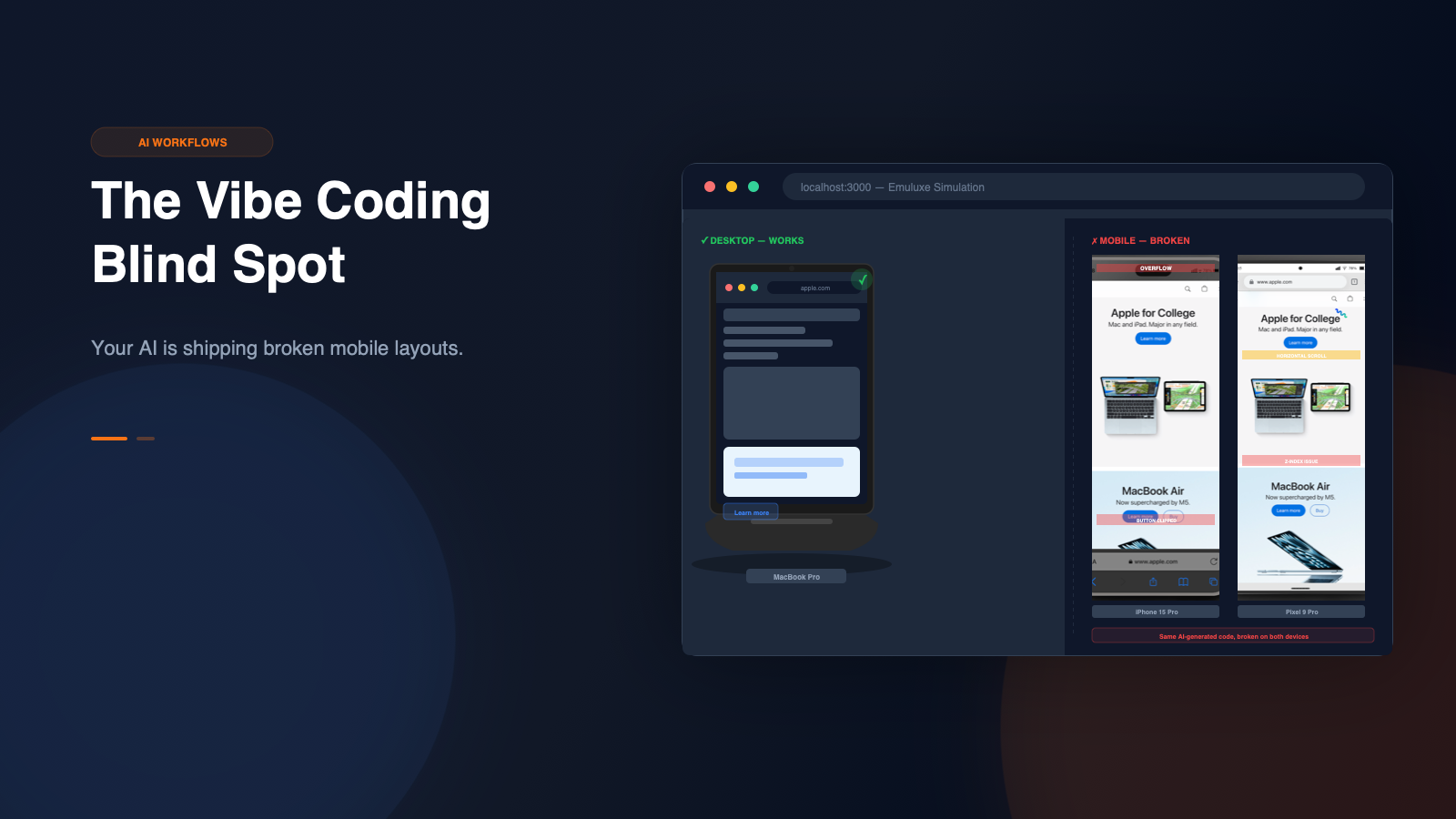
Your AI is shipping broken mobile layouts.
The Problem Nobody Sees Until Production
Here is what a typical vibe coding session looks like:
- You describe a component in natural language.
- Cursor or Claude Code generates the code.
- You preview it on your desktop. It looks great.
- You ship it.
- A user opens it on an iPhone SE. It is broken.
The dirty secret is that AI-generated code consistently fails at mobile rendering. Not because the models are bad, they are excellent at logic and structure, but because the feedback loop is wrong.
When you are vibe coding, you are working fast. You are describing layouts in prose, not writing CSS line by line. The AI generates what it thinks you want based on your description, and you validate it visually on the screen in front of you.
That screen is almost always a desktop.
Why AI Gets Mobile Wrong
AI coding assistants are trained on massive datasets of code and documentation. They understand CSS Grid, Flexbox, and media queries. But they have two fundamental limitations when it comes to mobile:
First, they optimize for the most common case. Desktop layouts dominate training data. When you describe "a responsive navigation bar," the AI generates something that looks correct on a 1440px viewport first, then adds mobile adjustments as an afterthought.
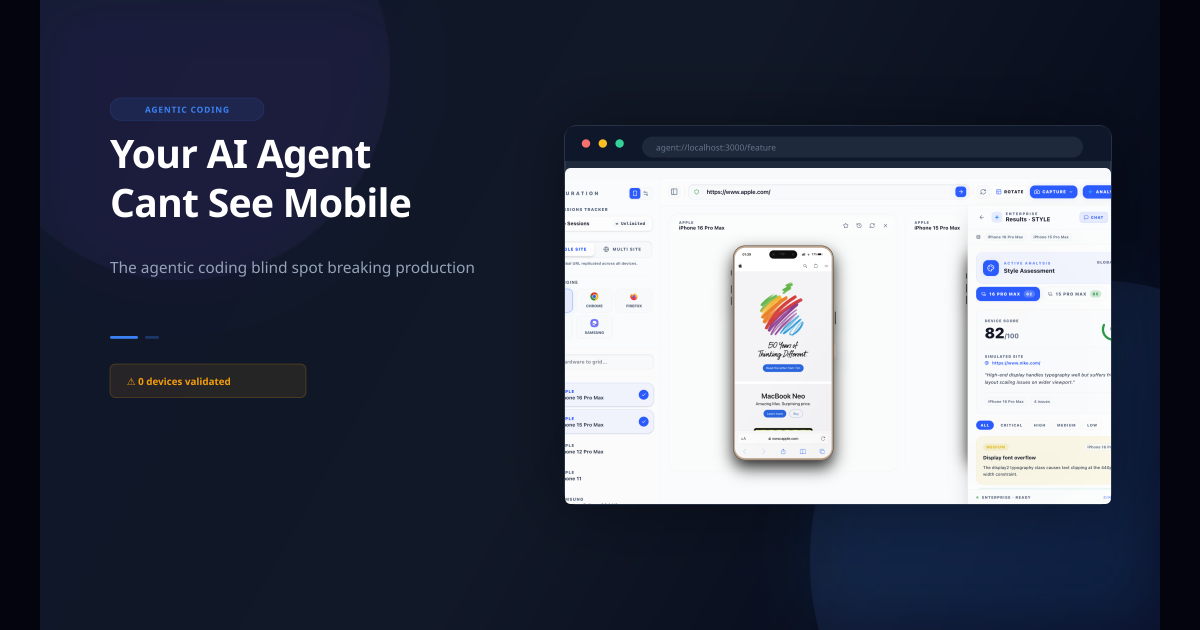
Second, they cannot see the result. The AI writes code, but it does not render it on a real device profile. It does not know that your 48px padding creates a 20px overflow on iPhone SE. It does not know that your fixed header covers the entire viewport on a foldable device. It does not know that 100vh means something different in mobile Safari than in desktop Chrome.
The result is predictable: desktop-perfect interfaces that fall apart on real devices.
Third, they never test under real network conditions. When you vibe code on a fast desktop connection, you never see how your app performs on 3G or congested 4G. AI-generated code often includes unoptimized image loads, render-blocking scripts, and layout shifts that only surface under throttled conditions. A component that loads in 200ms on your fiber connection takes 4 seconds on a mobile network in a moving train.
The result is predictable: desktop-perfect interfaces that fall apart on real devices.
The Scale of the Problem
This is not a theoretical concern. Bug0 research found that teams are still shipping broken checkout flows to $200 Android phones even with modern frameworks. The developers building these interfaces are not incompetent, they are simply working faster than their feedback loop can keep up with.
When you are generating entire components via prompt, you are moving faster than your browser can keep up. The gap between "I wrote this" and "I checked this on a real device" grows wider with every prompt.
On Reddit, developers describe the frustration constantly:
"AI fixes one thing and destroys 10 others, and I only find out when a user reports it."
"My desktop UI is flawless. My mobile UI was a disaster."
"I keep finding issues that only show up on real phones, things DevTools device mode never catches."
These are not edge cases. They are the norm.
The Missing Feedback Loop
The traditional approach to this problem is to add manual mobile testing to your workflow. Check your phone after every change. Open DevTools device mode. Run a browser stack test before shipping.
This does not work for vibe coders. The entire point of vibe coding is speed. Adding manual mobile checks to every prompt-response cycle kills the flow state that makes AI-assisted development productive.
The real solution is not more manual testing. It is better tooling in your workflow.
When you are building with Cursor or Claude Code, the simulation should happen where you are already working. Not in a separate browser tab. Not on a physical device. Not in a cloud testing platform. Inside your editor, against your localhost, with real device profiles.
How Emuluxe Closes the Gap
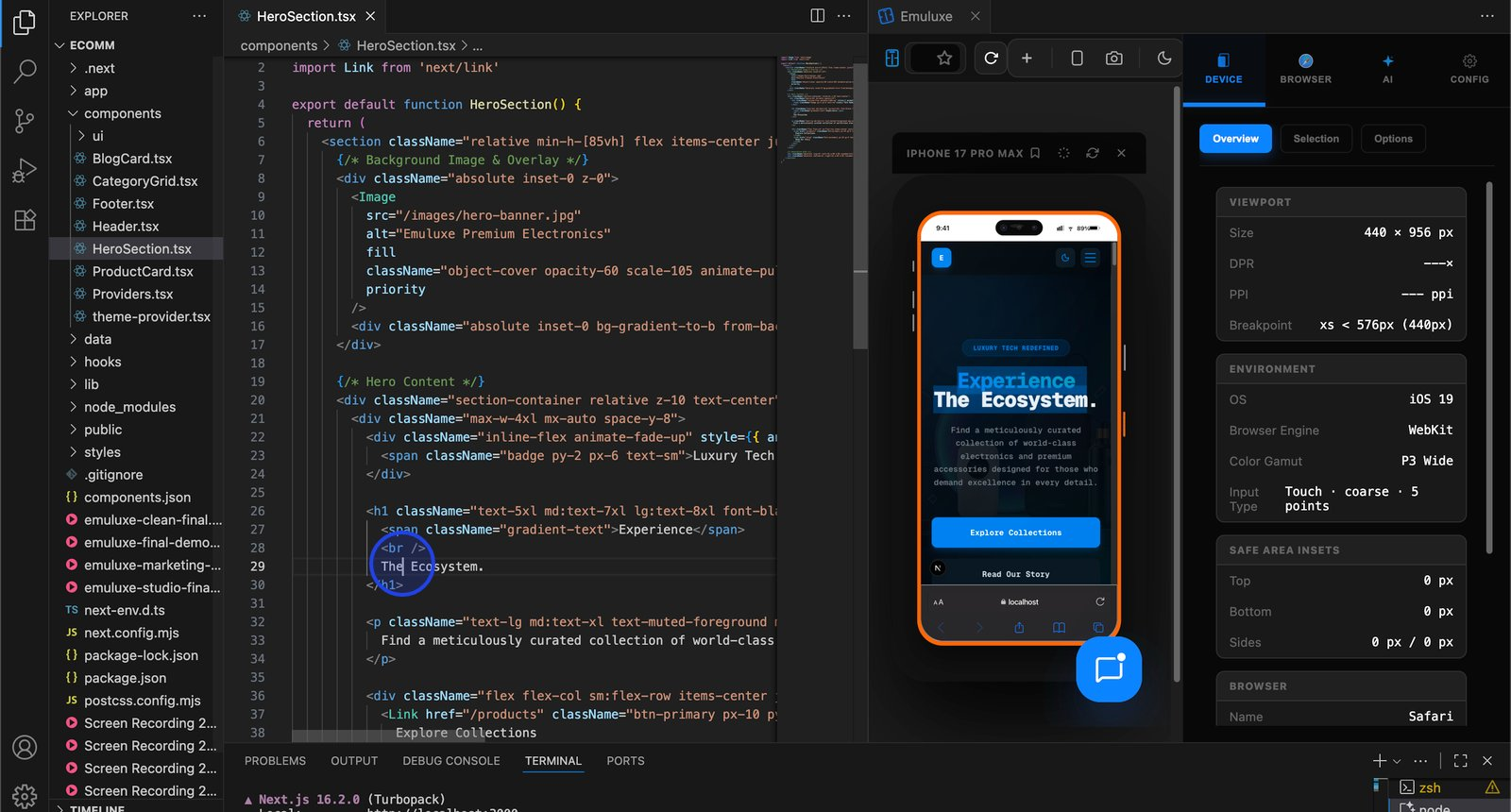
Emuluxe brings high-fidelity mobile simulation into the editor where you are already vibe coding.
Here is what the workflow looks like:
- You start your dev server (Vite, Webpack, Live Server — Emuluxe detects it automatically).
- You describe a component in Cursor or Claude Code.
- The AI generates the code.
- You hit
Cmd+Alt+E to launch Emuluxe in your editor panel.
- You see the result on an iPhone 15, a Galaxy S25, or a Pixel 9.
- You spot the layout issue immediately.
- You fix it in the same prompt or follow-up prompt.
No context switching. No deploying to staging. No pulling out your phone. The simulation is part of the development loop.
For Pro and Enterprise users, Emuluxe goes further with real device feature simulation — camera and microphone access, SMS/OTP verification with virtual phone numbers, Apple Pay and Google Pay payment flows, and biometric authentication. These are the interactions that cannot be validated with a browser resize, and they work inside the same editor panel.
This changes the economics of mobile testing. Instead of being a bottleneck at the end of the cycle, mobile validation becomes something you do continuously while building.
What to Simulate First
If you are vibe coding a new project, start with the pages where mobile mistakes are expensive:
- Landing pages: First impressions that drive conversion
- Checkout flows: Where broken layouts directly cost revenue
- Navigation: Where mobile hamburger menus and safe areas matter
- Forms: Where input behavior and viewport height differ across devices
- Auth screens: Where mobile keyboards and viewport resizing create unique challenges
These are the places where a small overflow, clipped CTA, or broken safe area can directly affect your launch.
Don't forget network conditions
Vibe coding happens on fast desktop connections. Your users do not always have one. Emuluxe includes 10+ network profiles — from offline to 5G — so you can simulate what your app feels like on a crowded subway or a rural 3G connection. This catches load-time regressions, unoptimized image bundles, and render-blocking scripts that desktop development hides.
Don't forget foldables
The iPhone Fold is expected late 2026. Samsung's Galaxy Z Fold and TriFold are already shipping. Emuluxe supports foldable device profiles with hinge and crease controls, letting you test how your layout adapts when a user unfolds their phone mid-session. Getting ahead of this now means you are ready when the form factor ships to consumers.
Don't forget OS design differences
iOS and Android do not look the same. Emuluxe includes OS profiles for iOS 15 through iOS 26 (Liquid Glass) and Android 12 through Android 16 (Baklava), each with accurate design tokens — fonts, corner radii, blur amounts, and animation curves. This means your simulation reflects how a real device renders your layout, not just how a browser viewport renders it.
The AI Layer on Top
This is where Emuluxe's AI Audit Engine changes the game for vibe coders.
When you launch a simulation, Emuluxe runs four analyzers simultaneously:
- Layout Inspector — Catches overflow, clipping, spacing issues across 8 layout detectors
- Performance Analyzer — Flags LCP, CLS, and long tasks that degrade mobile experience
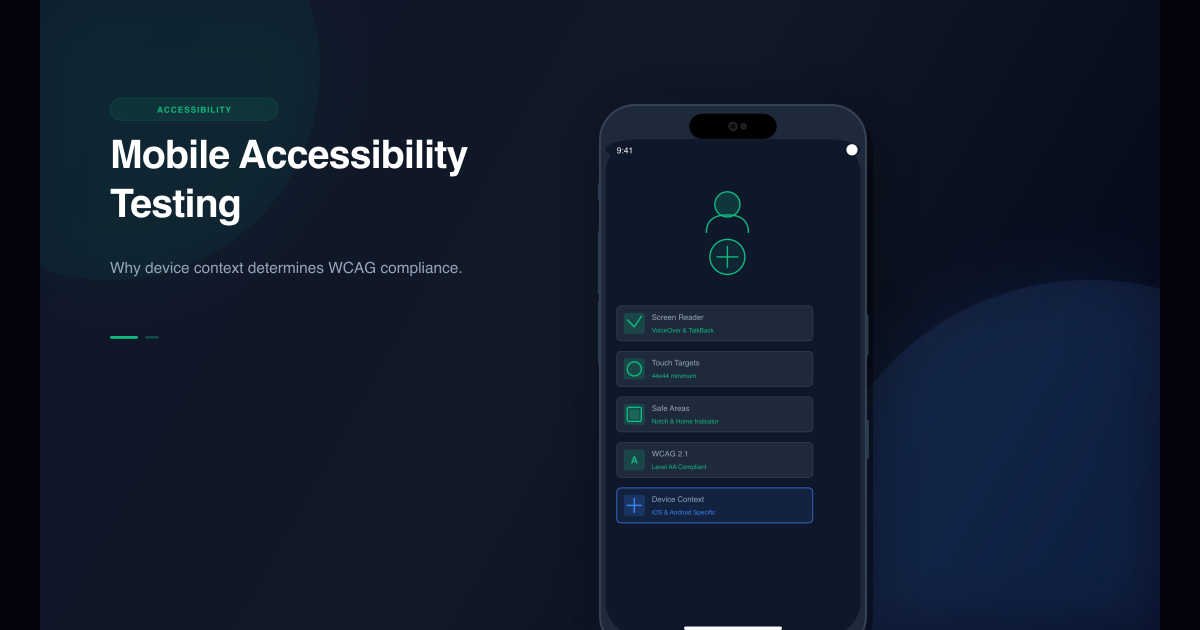
- Accessibility Analyzer — Runs 7 WCAG checks against the rendered device view
- Interaction Analyzer — Detects hover/touch anti-patterns that break on mobile
Each analyzer returns severity ratings and code-snippet fixes with specific selectors. That means when Emuluxe finds a problem on an iPhone 15, it does not just show you the visual issue — it tells you what to change and where.
For teams using MCP, this becomes even more powerful. The Emuluxe MCP server lets AI agents directly access device context, creating a workflow where your AI coding assistant can validate its own output against real device profiles and receive structured feedback it can act on.
The simulation gives the agent a truthful environment. The AI layer helps you act on what the simulation reveals.
Share the Proof, Ship with Confidence
Vibe coding often happens solo, but shipping is a team sport. Emuluxe includes high-fidelity capture with direct sharing to X (Twitter), LinkedIn, and — critically — GitHub Pull Requests.
When you find a mobile issue and fix it, you can capture the before/after on the exact device where it broke and attach it to your PR. Your team sees the device context, not just the code diff. This turns mobile validation from a verbal conversation into visible, shareable evidence.
For teams automating their pipeline, Emuluxe's CLI includes a bot-snap command that runs headless Chrome screenshots at mobile viewport with device frame compositing. There is a GitHub Action template that posts device snapshots directly to PRs. The result is automated mobile verification that runs on every push, not just when someone remembers to check.
Why This Matters Now
The vibe coding trend is not slowing down. More developers are building more software faster than ever before. The mobile testing gap is widening, not shrinking.
Every week, thousands of new features are shipped to production by developers who built them with AI assistance and never validated them on a real device. Most of them work fine on desktop. A surprising number of them are broken on mobile.
The developers who close this gap early will have a significant advantage. Not just in fewer bugs, but in the confidence to ship faster without worrying about what they missed.
The Bottom Line
Vibe coding is a genuine productivity breakthrough. But it has a blind spot, and that blind spot is mobile.
The fix is not to slow down. It is to add a simulation layer that keeps up with how you are already working. When mobile validation happens inside your editor, against your localhost, with real device profiles, OS-accurate design tokens, network throttling, and an AI engine that tells you exactly what to fix — the gap disappears.
Your AI is great at writing code. Give it the feedback loop to write code that works everywhere.
Get Started